Finance setup
This article introduces the platform's internal accounting and how to integrate it with external accounting systems.
Internal accounting system
Account types
A list of all account types can be found under "Finance setup / Account types".
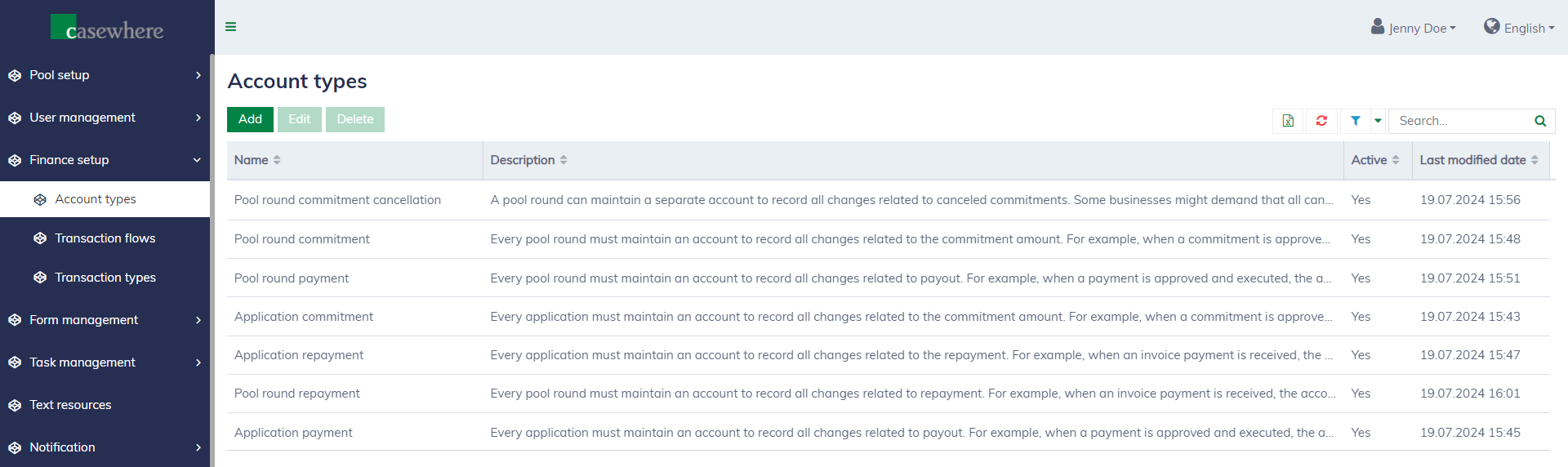
Below are the typical accounts:
| Account type | Mandatory | Description |
|---|---|---|
| Application commitment | Required | Every application must maintain an account to record all changes related to the commitment amount. For example, when a commitment is approved, the account balance increases, indicating that a necessary amount has been reserved for that specific commitment. |
| Application payment | Required | Every application must maintain an account to record all changes related to payout. For example, when a payment is approved and executed, the account balance increases, indicating that the money has been paid out to the applicant. |
| Application repayment | Required | Every application must maintain an account to record all changes related to the repayment. For example, when an invoice payment is received, the account balance increases, indicating the applicant has paid back the pool. |
| Pool round commitment | Required | Every pool round must maintain an account to record all changes related to the commitment amount. For example, when a commitment is approved, the account balance decreases, indicating that the pool has set aside the necessary funds to fulfill the commitment. |
| Pool round payment | Required | Every pool round must maintain an account to record all changes related to payout. For example, when a payment is approved and executed, the account balance decreases, indicating that the money has been paid out to the applicant. |
| Pool round repayment | Required | Every pool round must maintain an account to record all changes related to repayment. For example, when an invoice payment is received, the account balance decreases, indicating the pool has received the payback. |
| Pool round commitment cancellation | Optional | A pool round can maintain a separate account to record all changes related to canceled commitments. Some businesses might demand that all canceled commitments be kept in a separate account from the pool round commitment account. For example, when a commitment is canceled, the pool round commitment cancellation account balance increases while the application commitment account decreases, indicating the pool has canceled the reserved amount. |
Transaction flows
A transaction flow is a business flow that generates a finance transaction that moves the fund from one account to another. A list of all transaction flows can be found under "Finance setup / Transaction flows".
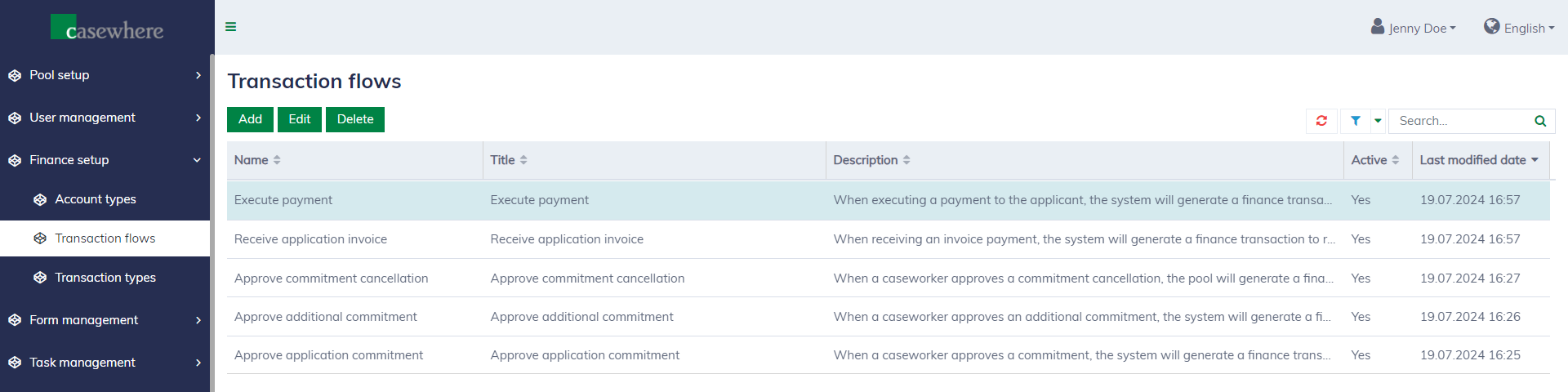
| Transaction flow | Description |
|---|---|
| Approve application commitment | When a caseworker approves a commitment, the system will generate a finance transaction to reserve the funds for that specific commitment. |
| Approve additional commitment | When a caseworker approves an additional commitment, the system will generate a finance transaction to reserve the funds for that specific commitment. |
| Approve commitment cancellation | When a caseworker approves a commitment cancellation, the pool will generate a finance transaction to cancel the fund reservation. Depending on the business requirement, the canceled fund can be used for other commitments or managed separately. |
| Receive application invoice | When receiving an invoice payment, the system will generate a finance transaction to record the payback. |
| Execute payment | When executing a payment to the applicant, the system will generate a finance transaction to record the payout. |
Transaction types
A list of all transaction types can be found under "Finance setup / Transaction types".
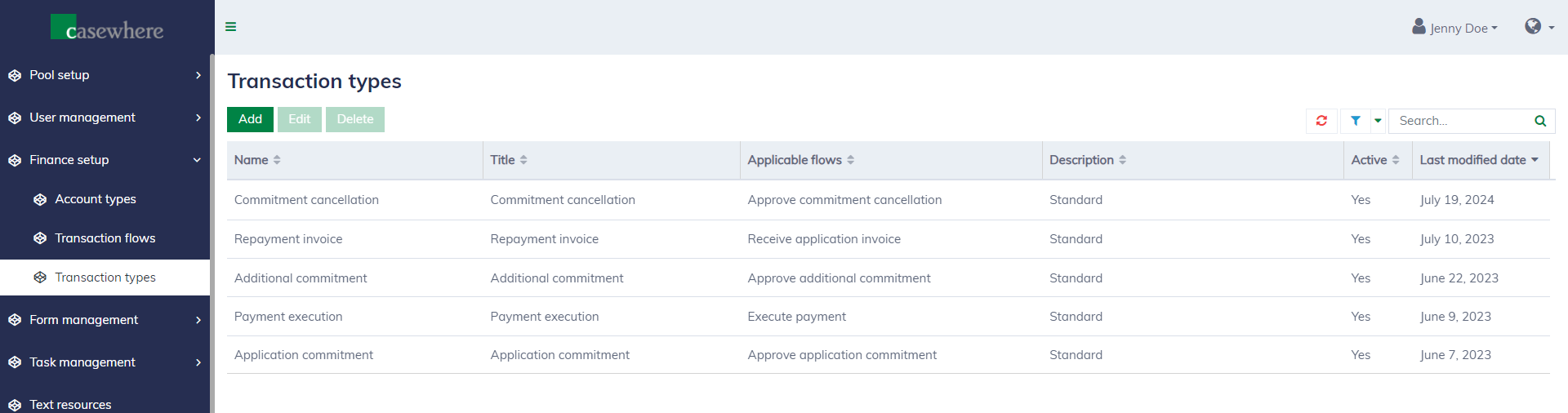
A transaction type determines how a transaction is executed, i.e., it specifies the movement of funds from one account (debit) to another account (credit), and identifies the transaction flows that can trigger it. Each transaction flow can only be associated with one transaction type.
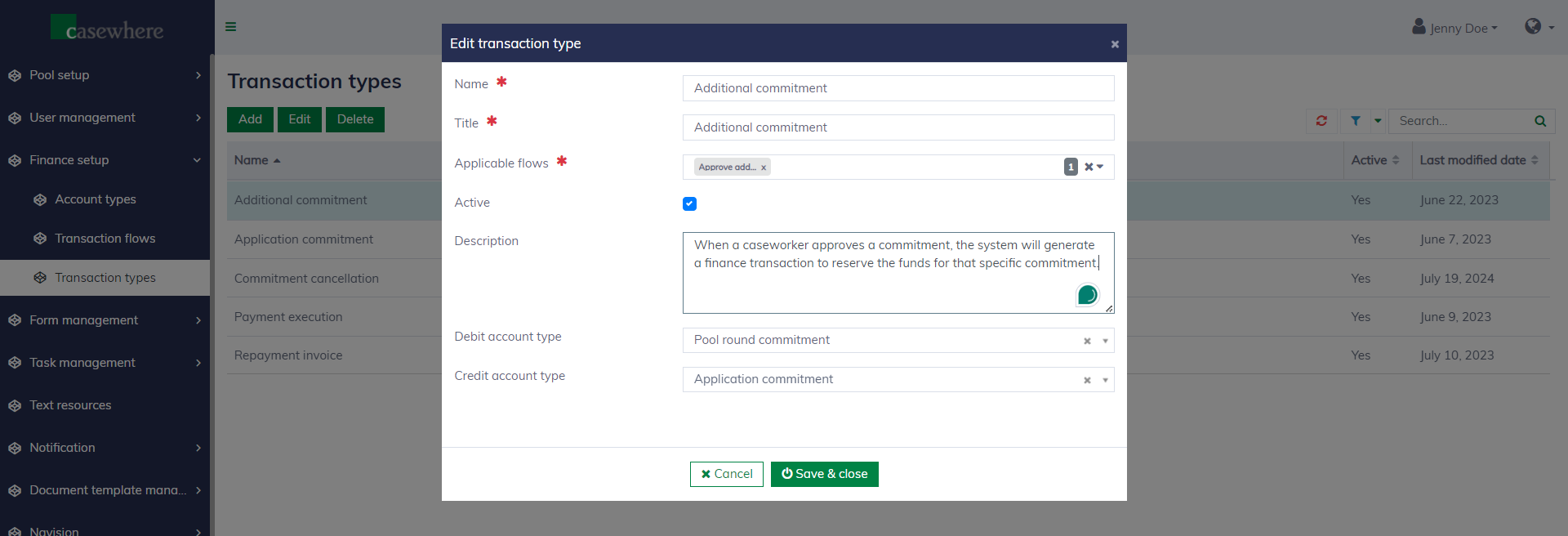
Below are typical transaction types:
Application commitment
Description: When a caseworker approves a commitment, the system will generate a finance transaction to reserve the funds for that specific commitment.
Flow: Approve application commitment
Debit account type: Pool round commitment
Credit account type: Application commitment
Additional commitment
Description: When a caseworker approves an additional commitment, the system will generate a finance transaction to reserve the funds for that specific commitment.
Flow: Approve additional commitment
Debit account type: Pool round commitment
Credit account type: Application commitment
Commitment cancellation
Description: When a caseworker approves a commitment cancellation, the pool will generate a finance transaction to cancel the fund reservation. Depending on the business requirement, the canceled fund can be used for other commitments or managed separately.
Flow: Approve commitment cancellation
Debit account type: Application commitment
Credit account type:
- Option 1: Pool round commitment
- Option 2: Pool round commitment cancellation
Payment execution
Description: When executing a payment to the applicant, the system will generate a finance transaction to record the payout.
Flow: Execute payment
Debit account type: Pool round payment
Credit account type: Application payment
Repayment invoice
Description: When receiving an invoice payment, the system will generate a finance transaction to record the payback.
Flow: Execute payment
Debit account type: Pool round repayment
Credit account type: Application repayment
Integrate with external accounting systems
The grant management solution can integrate with Navision and other accounting systems that support file exchange protocols, such as SFTP and FTP. Below are some highlights.
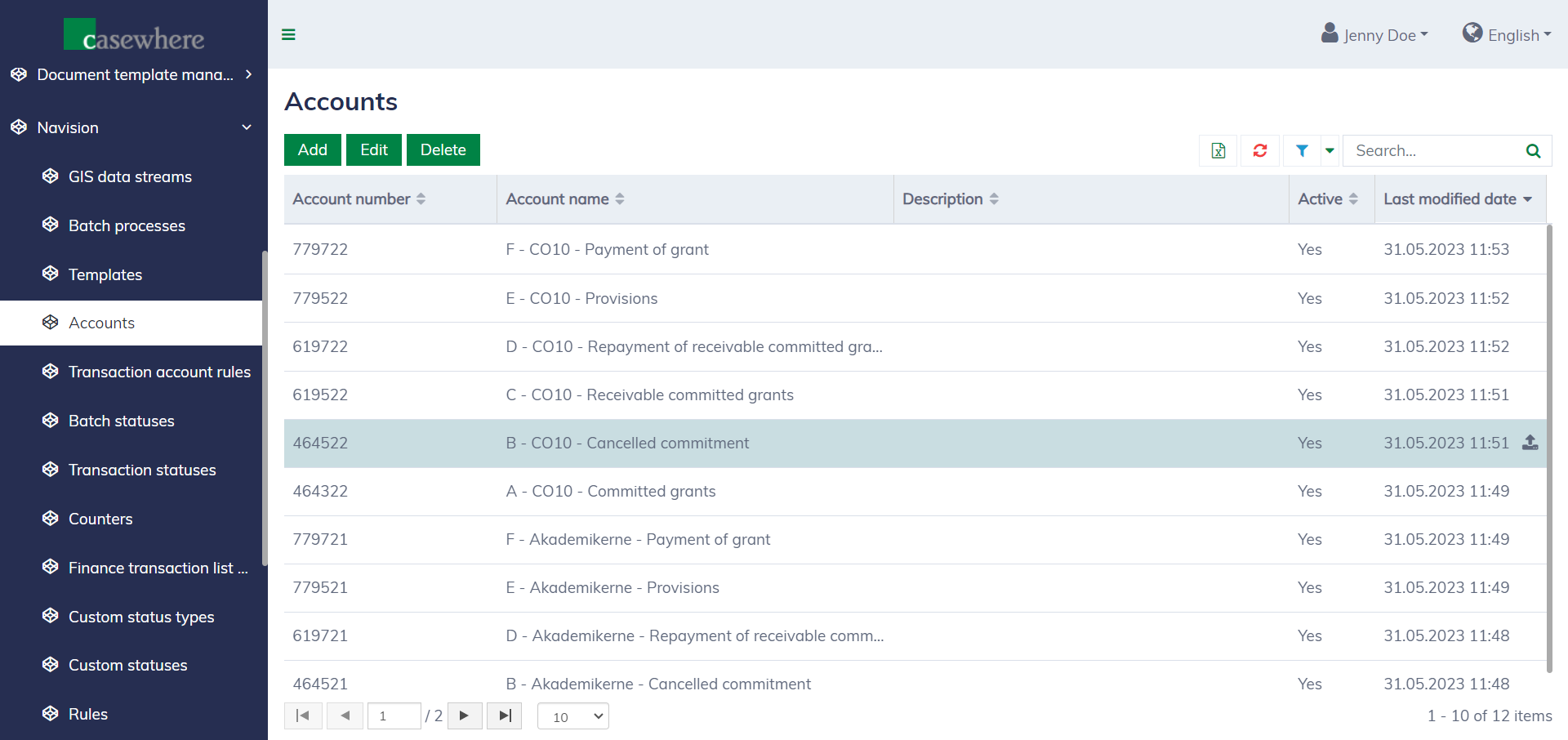
You can set up the external account structure inside the system.
You can set up different processes to handle incoming and outgoing data flows.
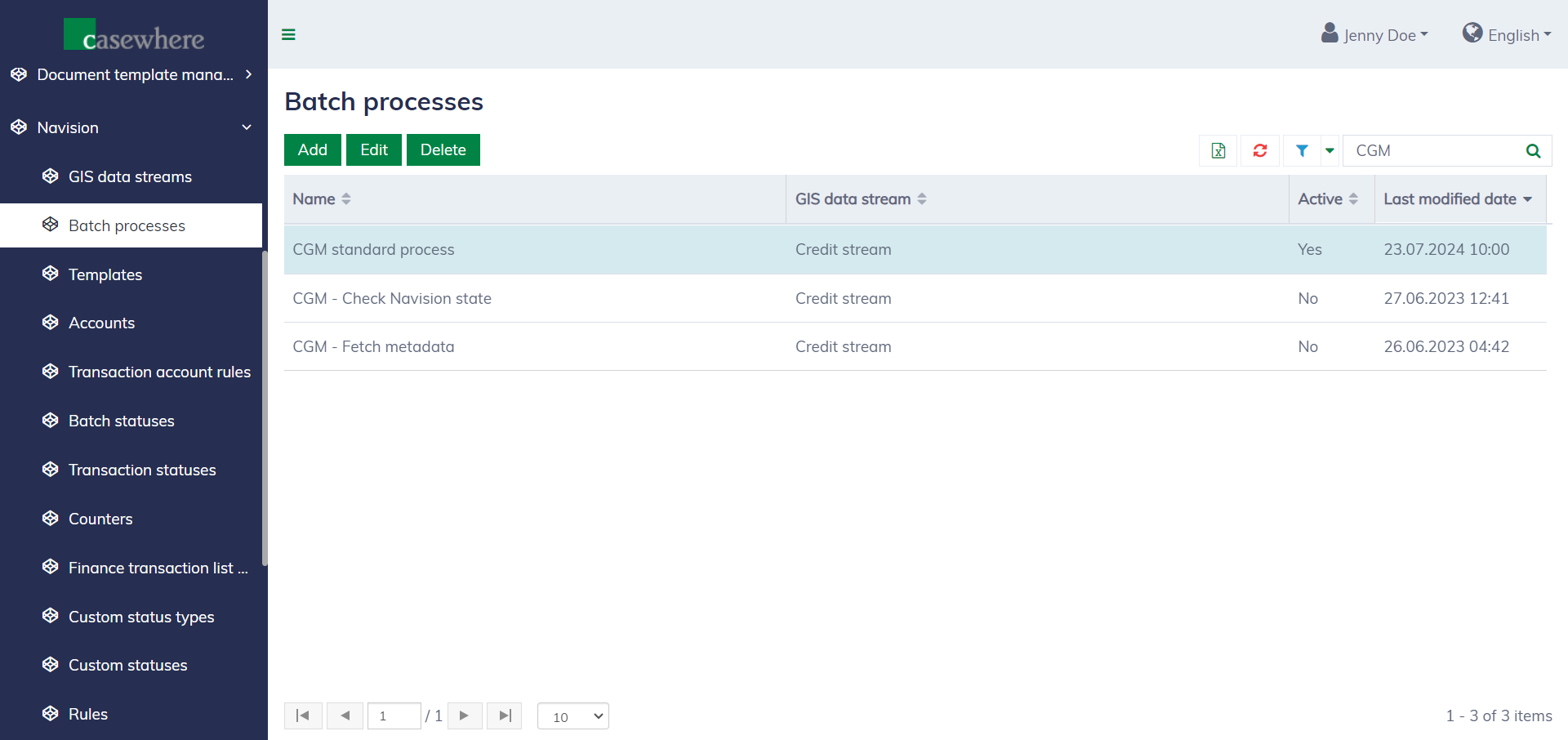
Each batch process is dedicated to a specific set of transactions sent or received through a given data stream.
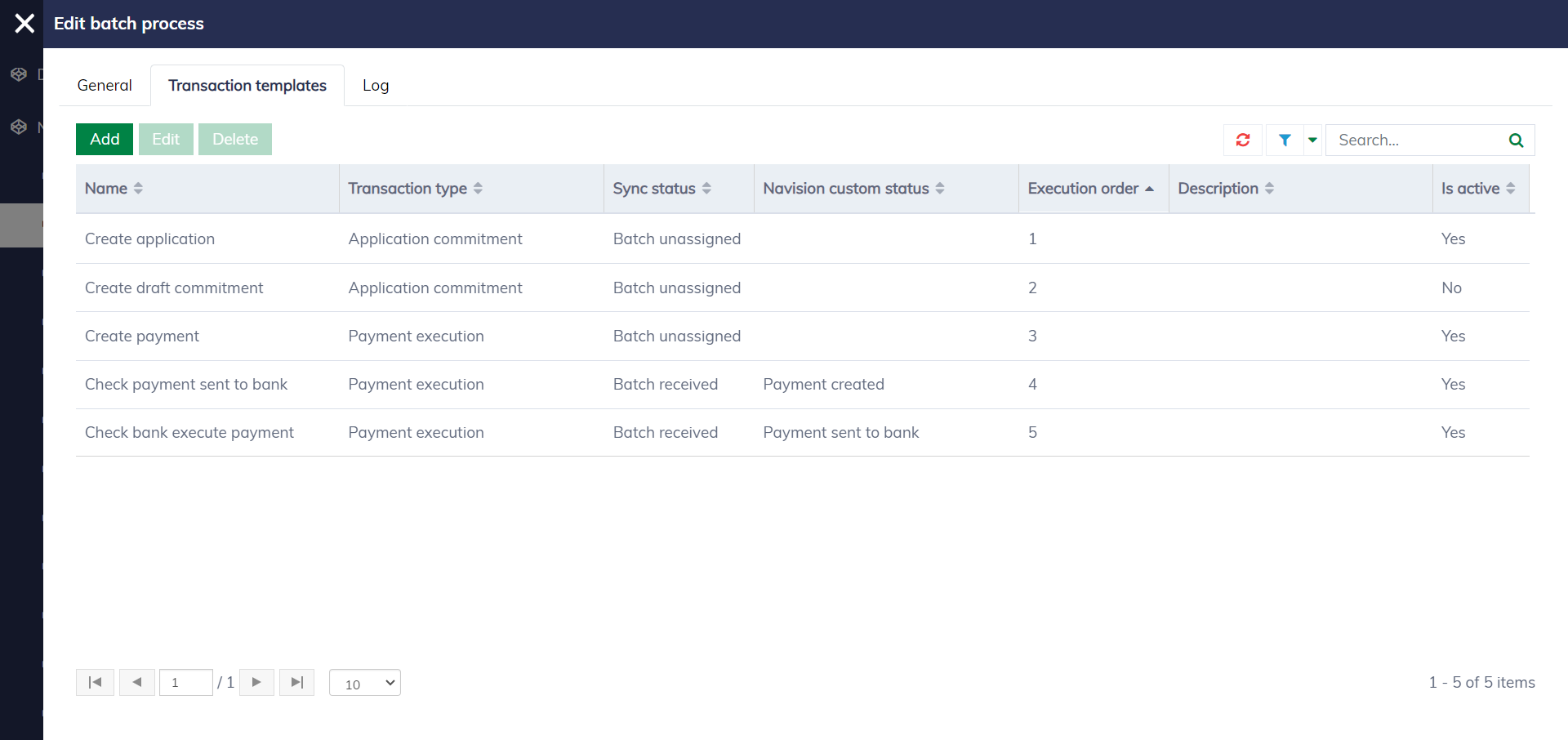
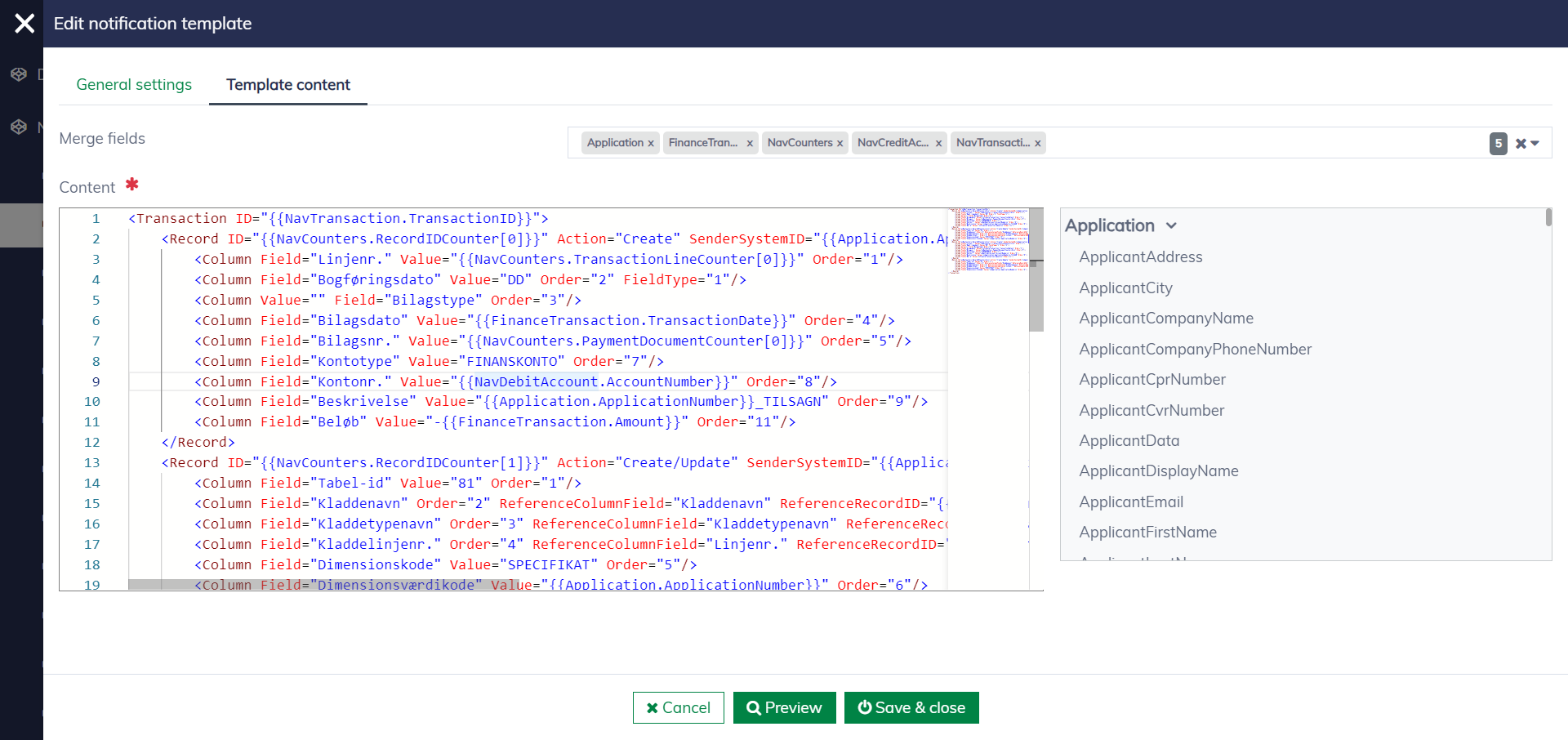
You are free to customize different transaction templates: