External users
An administrator user in your organization can:
Browse all external organizations and users
Define roles that can be used for external users
External organizations
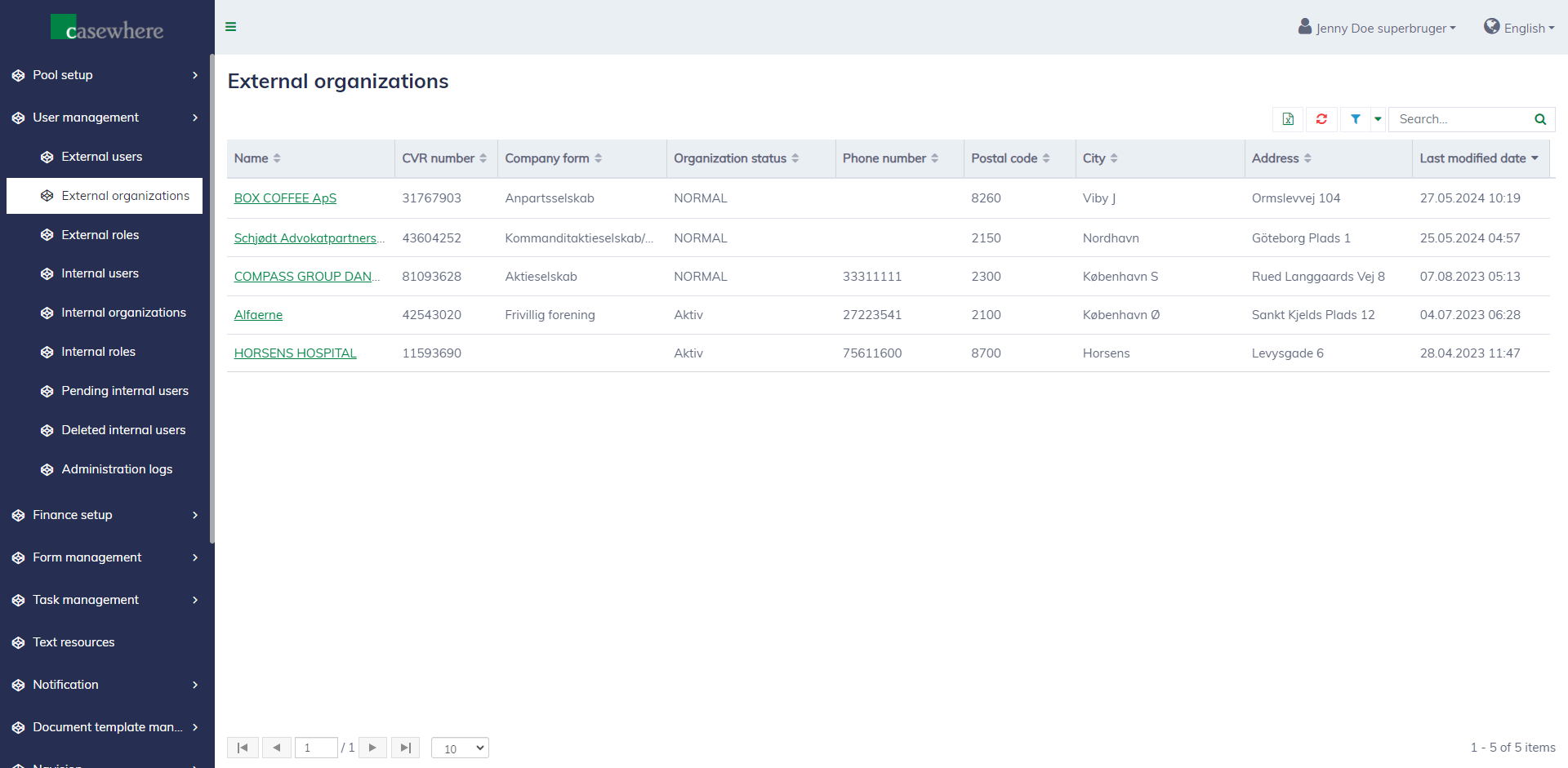
When a user logs into the application portal, their company information is collected and stored. This information is utilized in various processes throughout the system. Currently, an administrator can view this information but cannot modify it.
You can navigate the page at "User management / External organizations".
External users
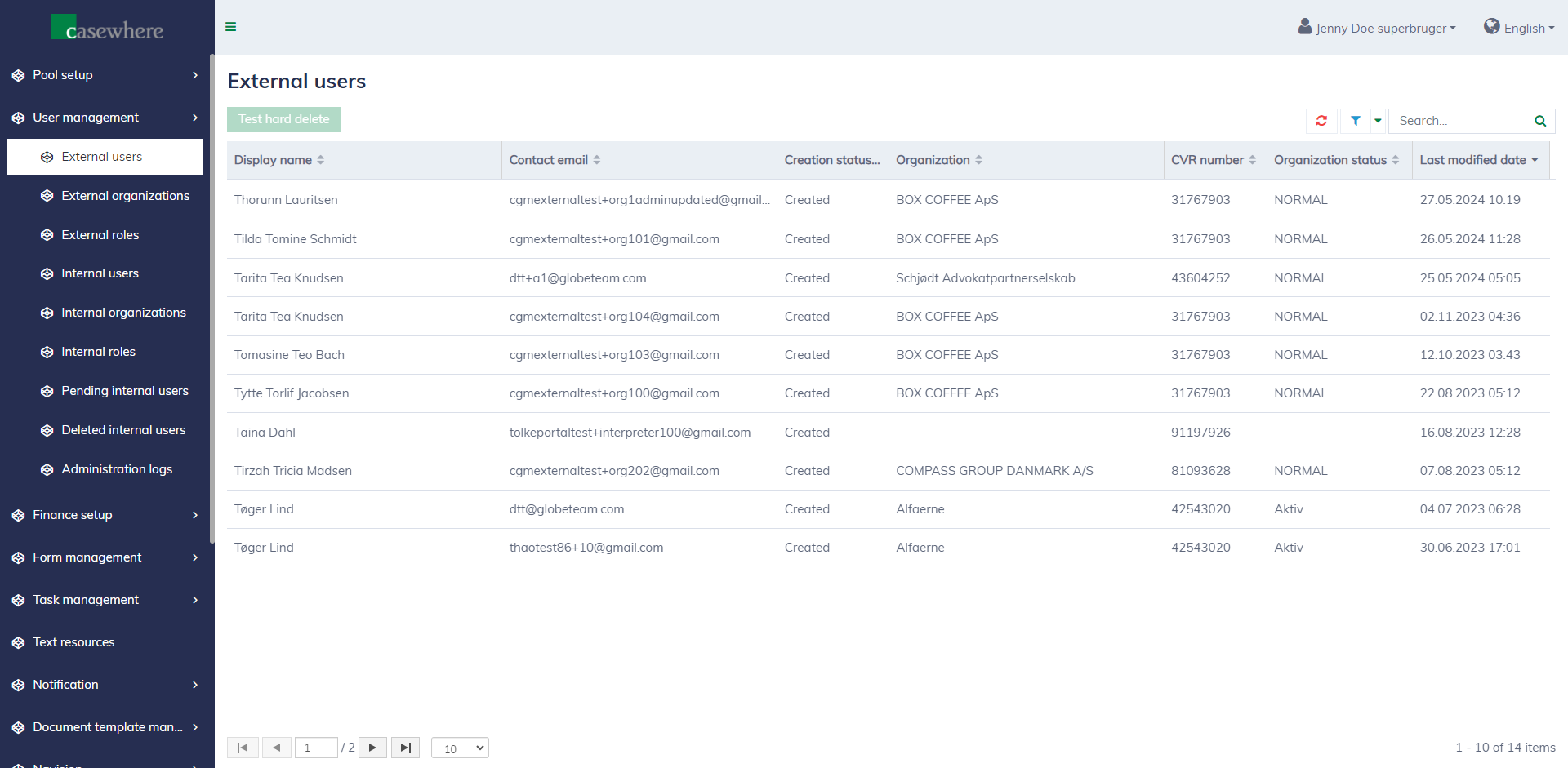
When a user logs into the application portal, their user account will be created in the system. Currently, an administrator can view all external user accounts but cannot modify them.
You can navigate the page at "User management / External users".
External roles
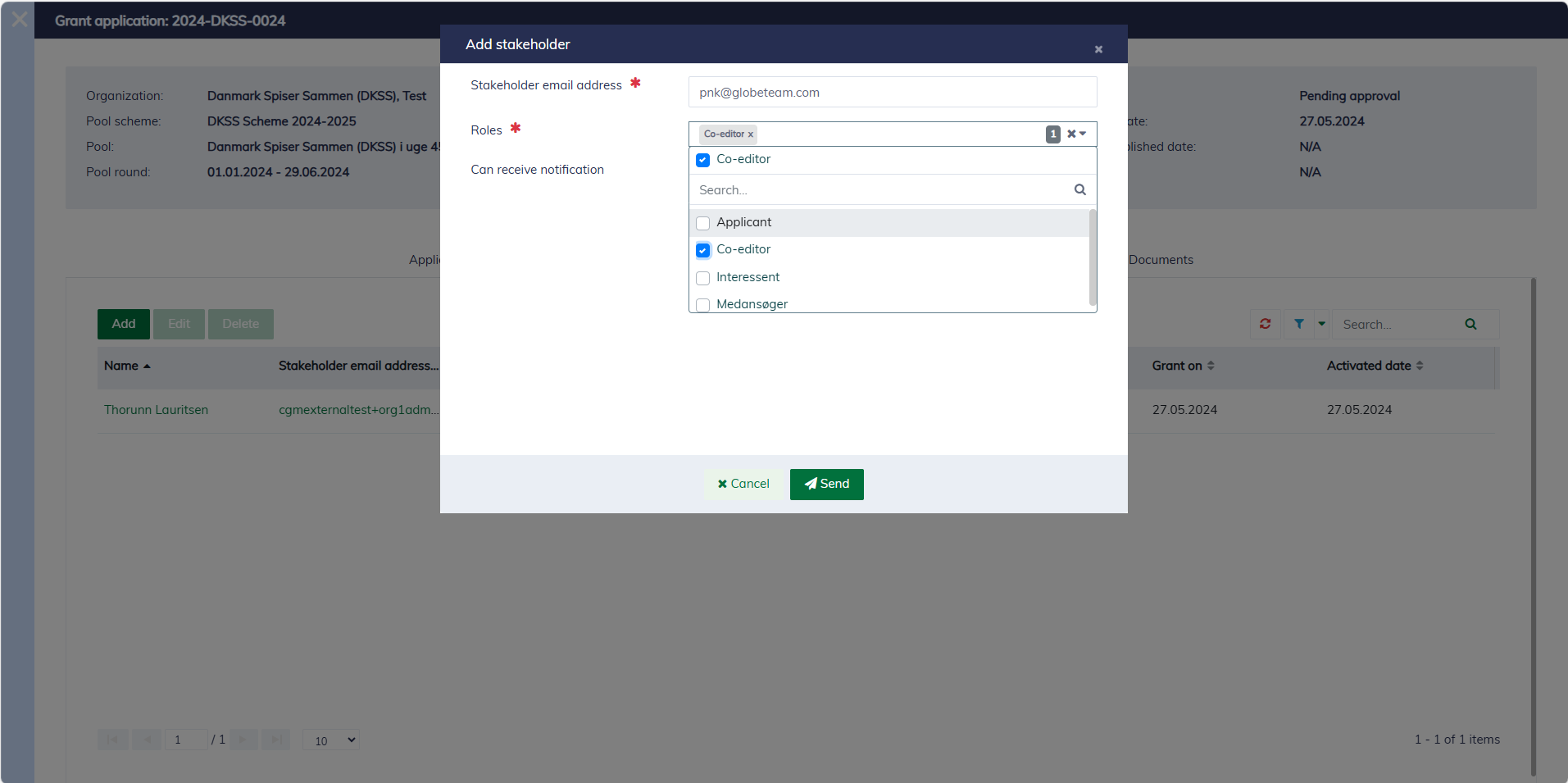
In the application portal, the grant applicant can manage who can access the grant and determine which functionalities each user can access within the scope of the grant by assigning predefined roles to the users they manage. The following picture demonstrates how the grant applicant can invite other users:
The external roles are defined in the "User management / External roles" page.
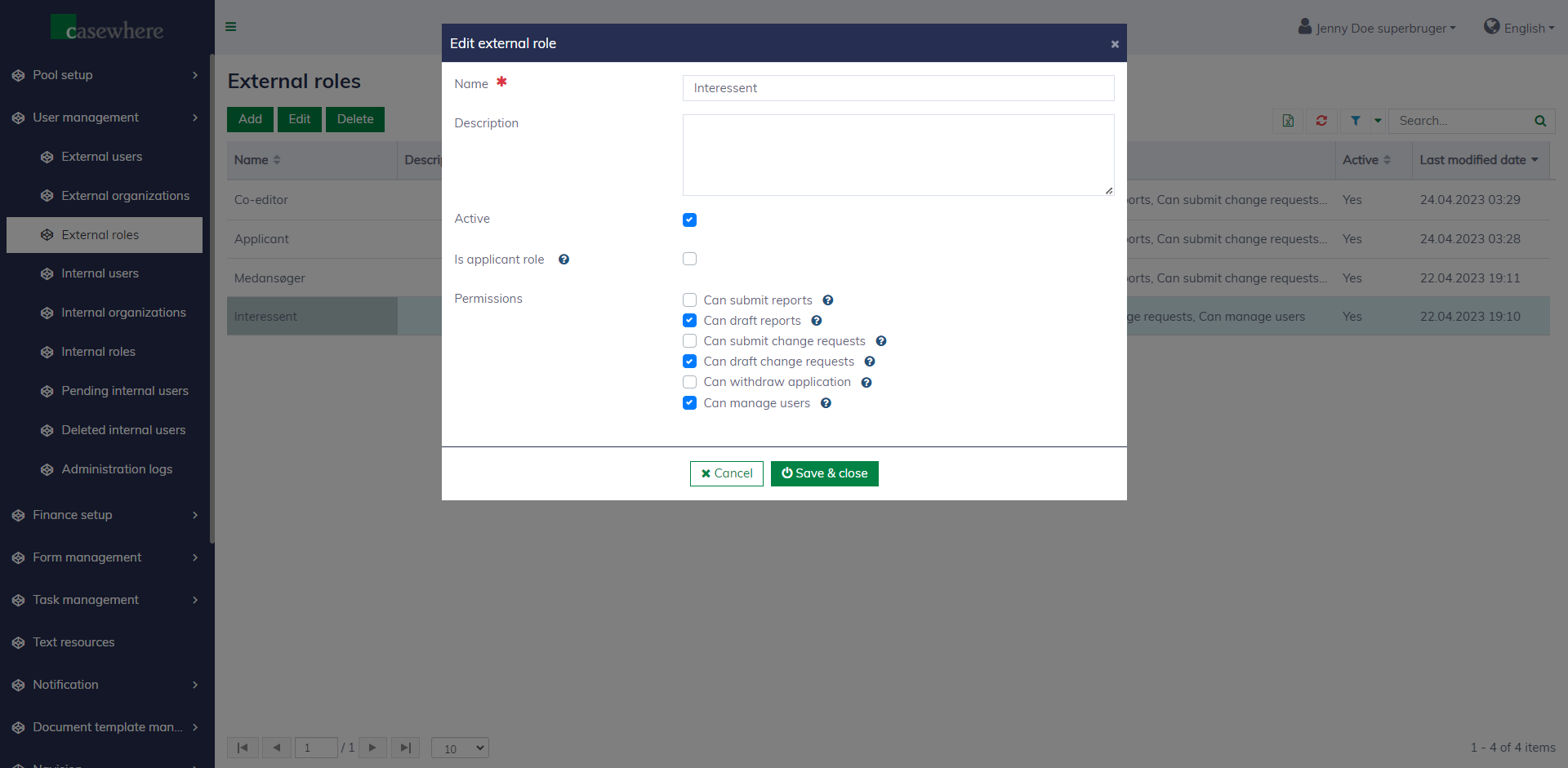
The following fields define an external role:
| Field name | Mandatory | Description |
|---|---|---|
| Name | Yes | The role name is required and must be unique |
| Description | No | To provide additional information |
| Active | No | Only active roles can be assigned to users |
| Is applicant role | No | To identify the applicant users who have full control over their applications. There must be only one role in the entire system with the setting "Is application role" enabled |
| Caseworker permissions | No | A list of permissions related to functionalities in the application portal |