Create additional commitments
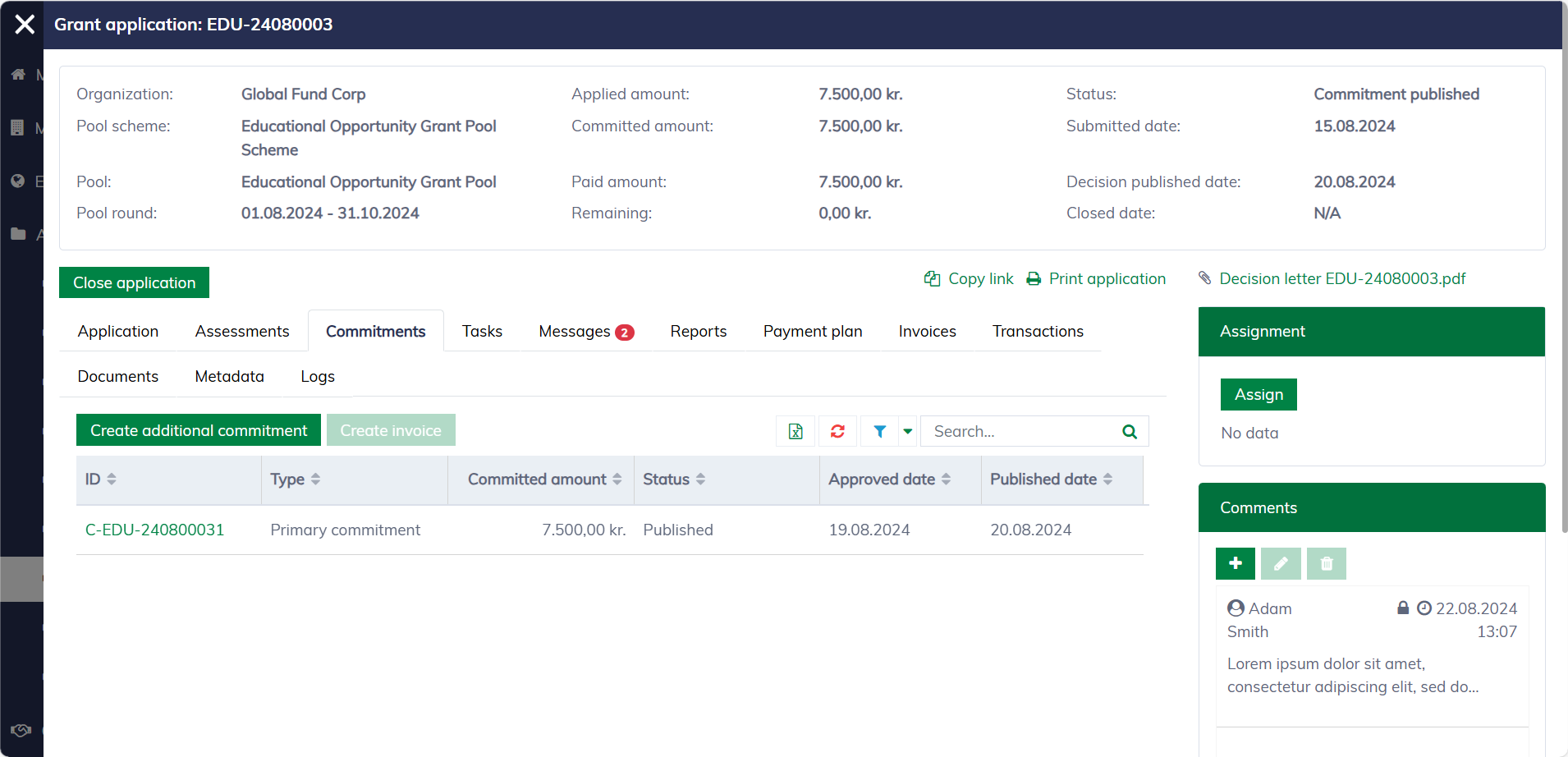
In the application dialog, navigate to the "Commitments" tab and click "Create additional commitment" to create a new commitment.
The following form will appear, allowing you to input information to create new commitments:
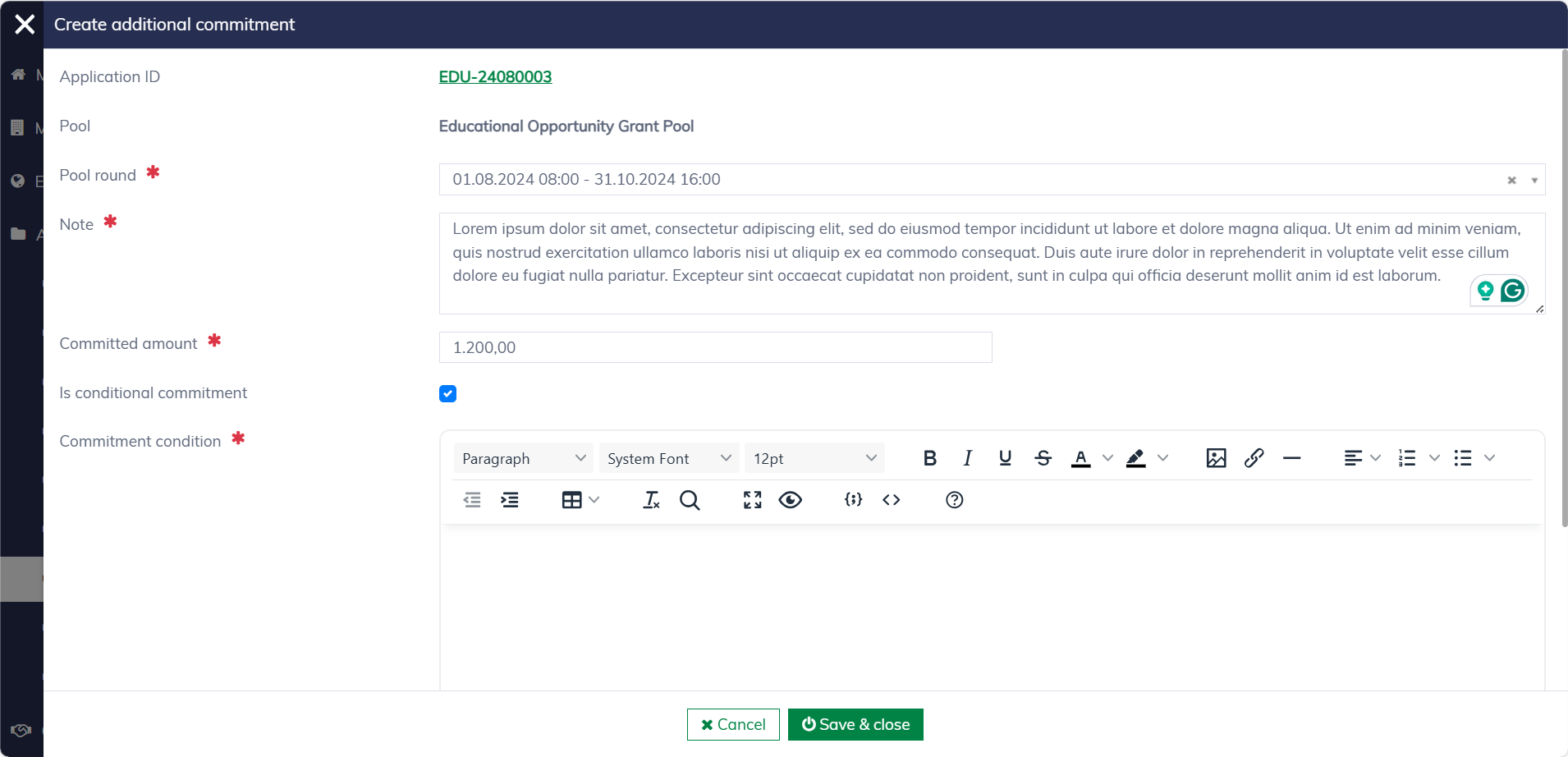
An additional requires the below fields:
| Field name | Mandatory | Description |
|---|---|---|
| Pool round | Yes | The pool round may differ from the one used for the original commitment. |
| Note | Yes | An internal comment explaining the reason and purpose of the additional commitment. |
| Committed amount | Yes | The needed additional funds. |
| Is conditional commitment | No | Applicants are required to accept a condition for the grant to take effect. |
| Commitment condition | Yes, for "Conditional commitment" | The condition for the grant to take effect. This information will be included in the decision letter and related tasks, which require the applicant to read and accept it as part of the process. |
Once created, the additional commitment will appear under "Commitments / Submitted additional commitments" and be ready for approval.