Approve decisions
Decisions, whether they are commitments or refusals, will need to be approved to become effective.
Browse decisions
All submitted decisions can be found under "Applications / Submitted decisions". Here, you can approve the decisions or request a reassessment for unqualified ones. Please note that only caseworkers with the necessary permissions are authorized to approve decisions.
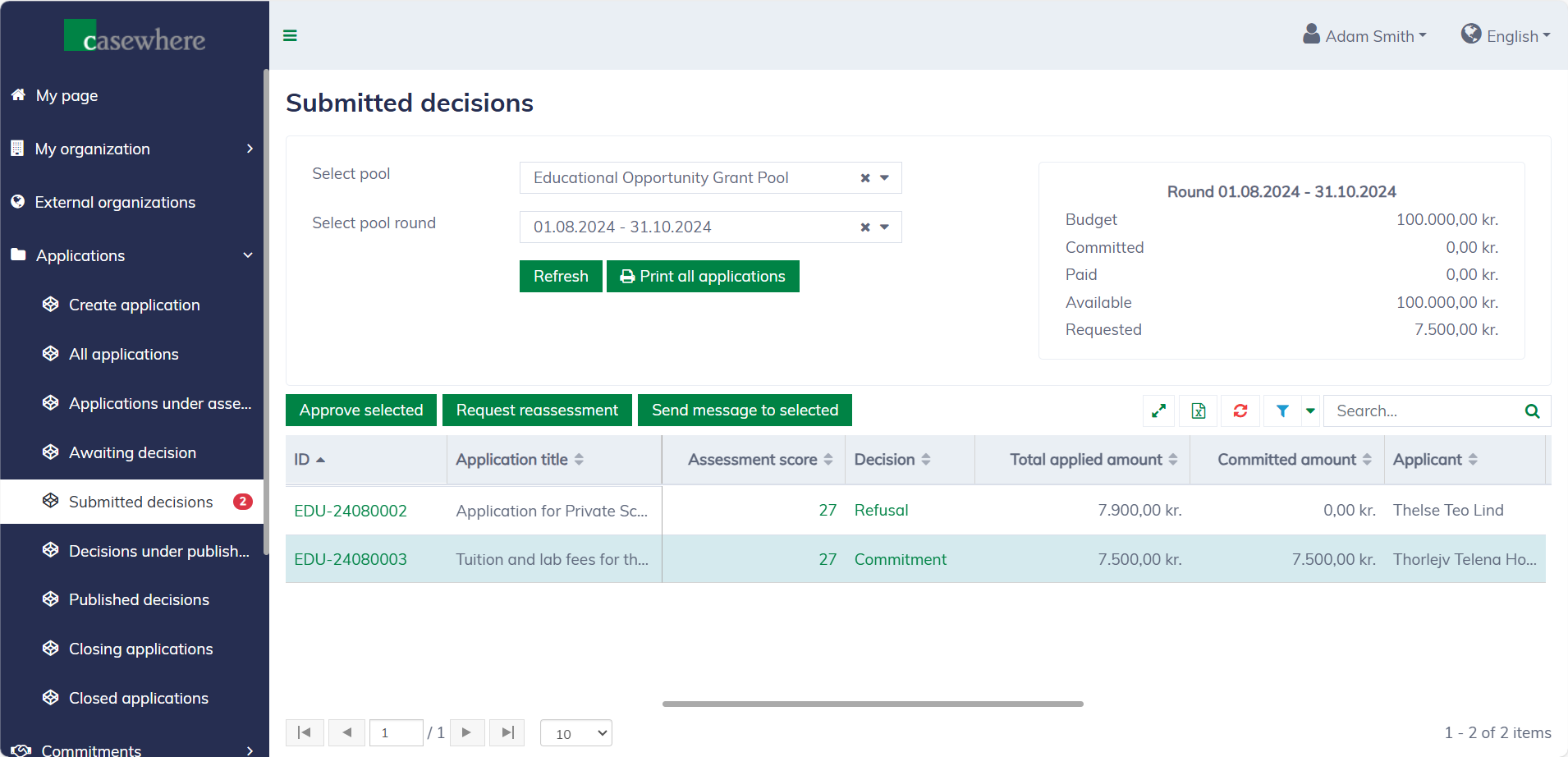
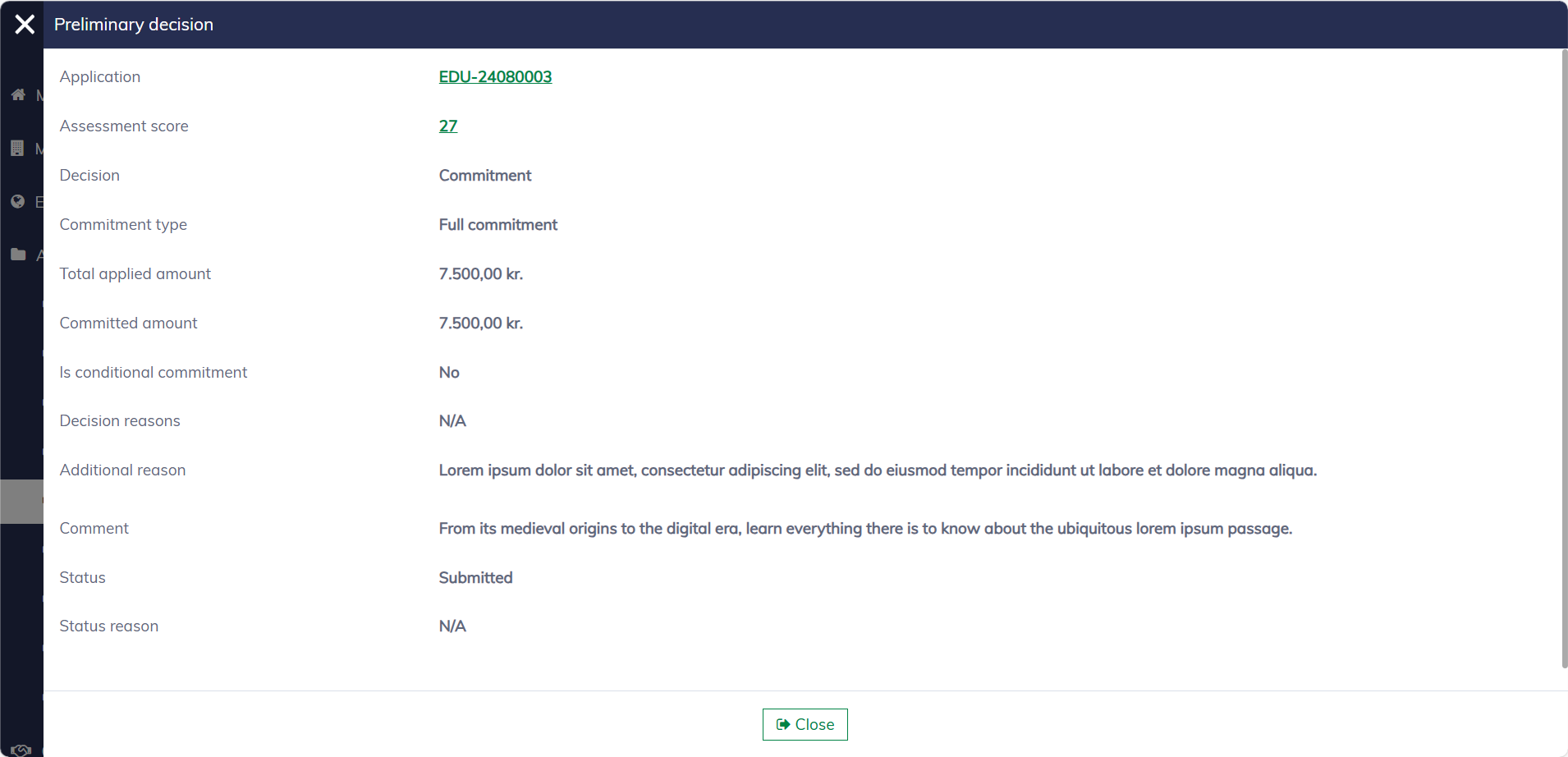
In this list, you can filter applications by their pools and pool rounds. Like any standard list, you can also filter, search, and sort by various criteria. Additionally, you can click on "Decision" to view more details.
Approve decisions
In the application list, select the applications and click "Approve selected". You can approve multiple applications simultaneously.
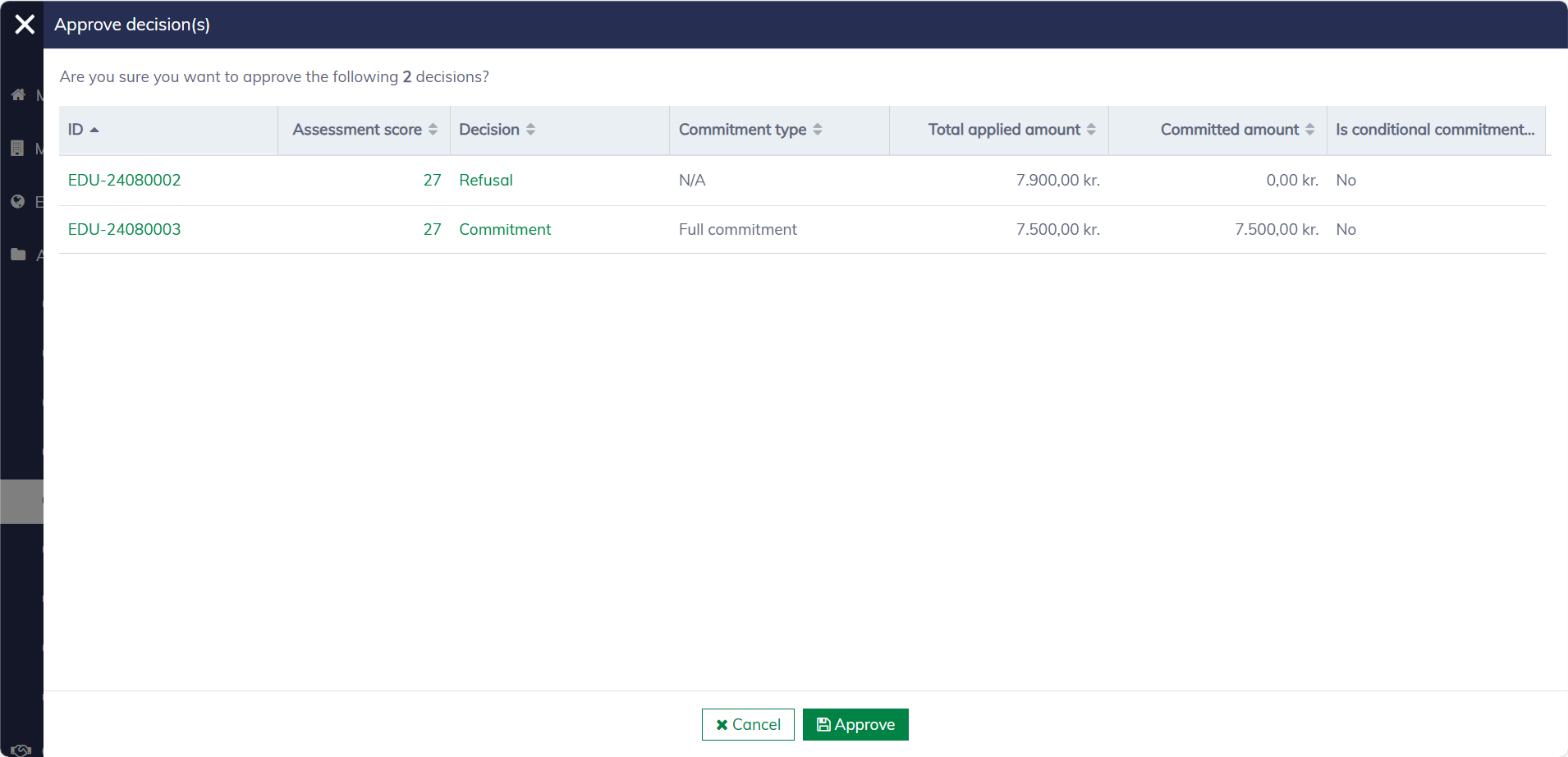
Once approved, refused applications will be moved to the **"Applications / Decisions under publishing" **list. Committed applications will require a few additional steps before they are ready to be published to applicants. You can navigate to "Commitments / Approved commitments" to set up payment plans for them.
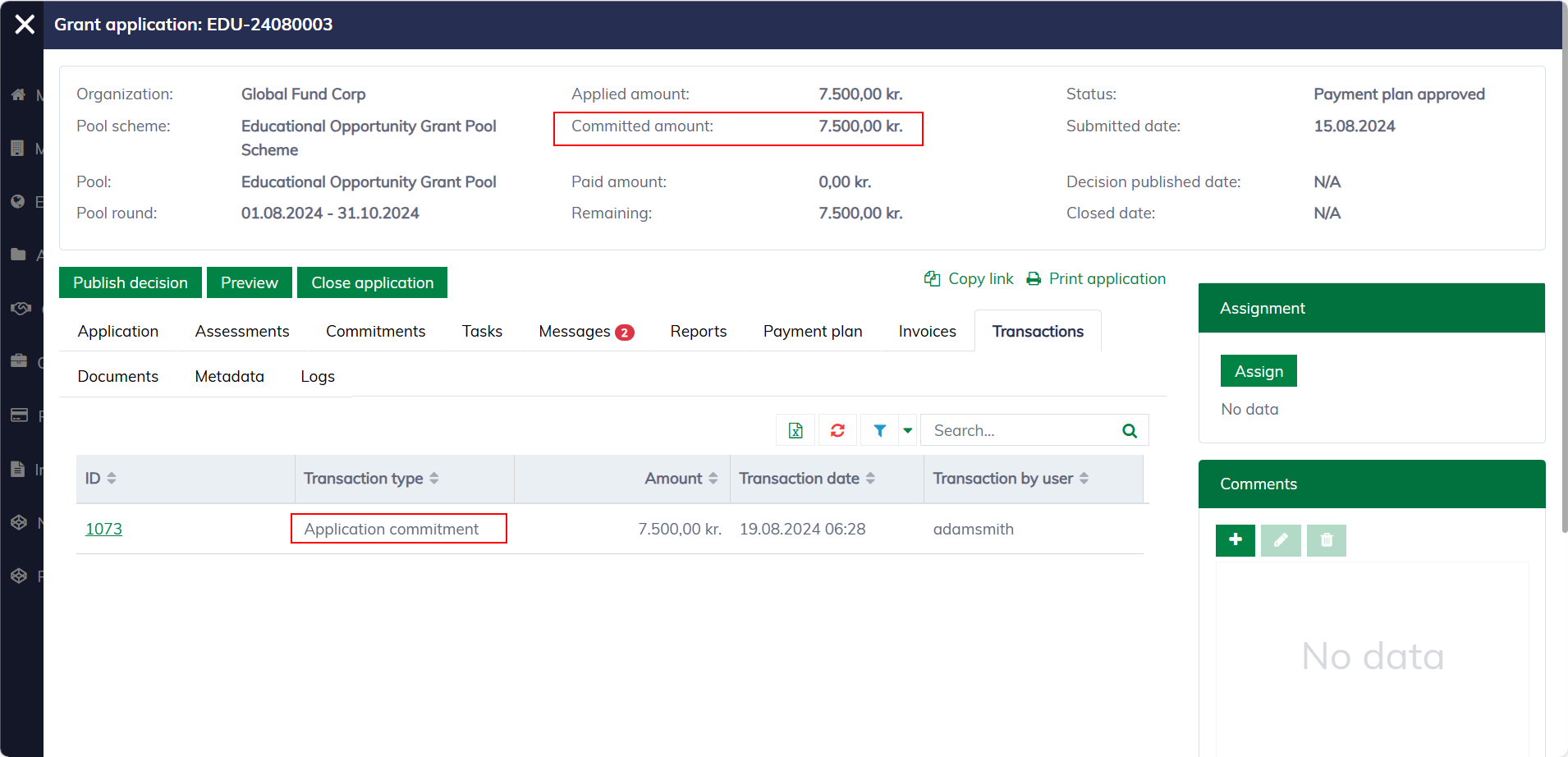
For approved commitments, you'll notice that an amount has been set aside in the application dialog. However, this change will not be visible to external users until a payment plan is set up, approved, and published.
Request reassessment
At this stage, you can still request a reassessment, which will send the application back to the list "Applications / Applications under assessment". A comment is required when requesting reassessment.