Make decisions
Decisions must be made to move the application to the next stage, where it will be determined whether a commitment will be granted or the application will be refused.
Browse the applications awaiting decisions
All applications available for making decisions can be found under the "Applications / Awaiting decision" page.
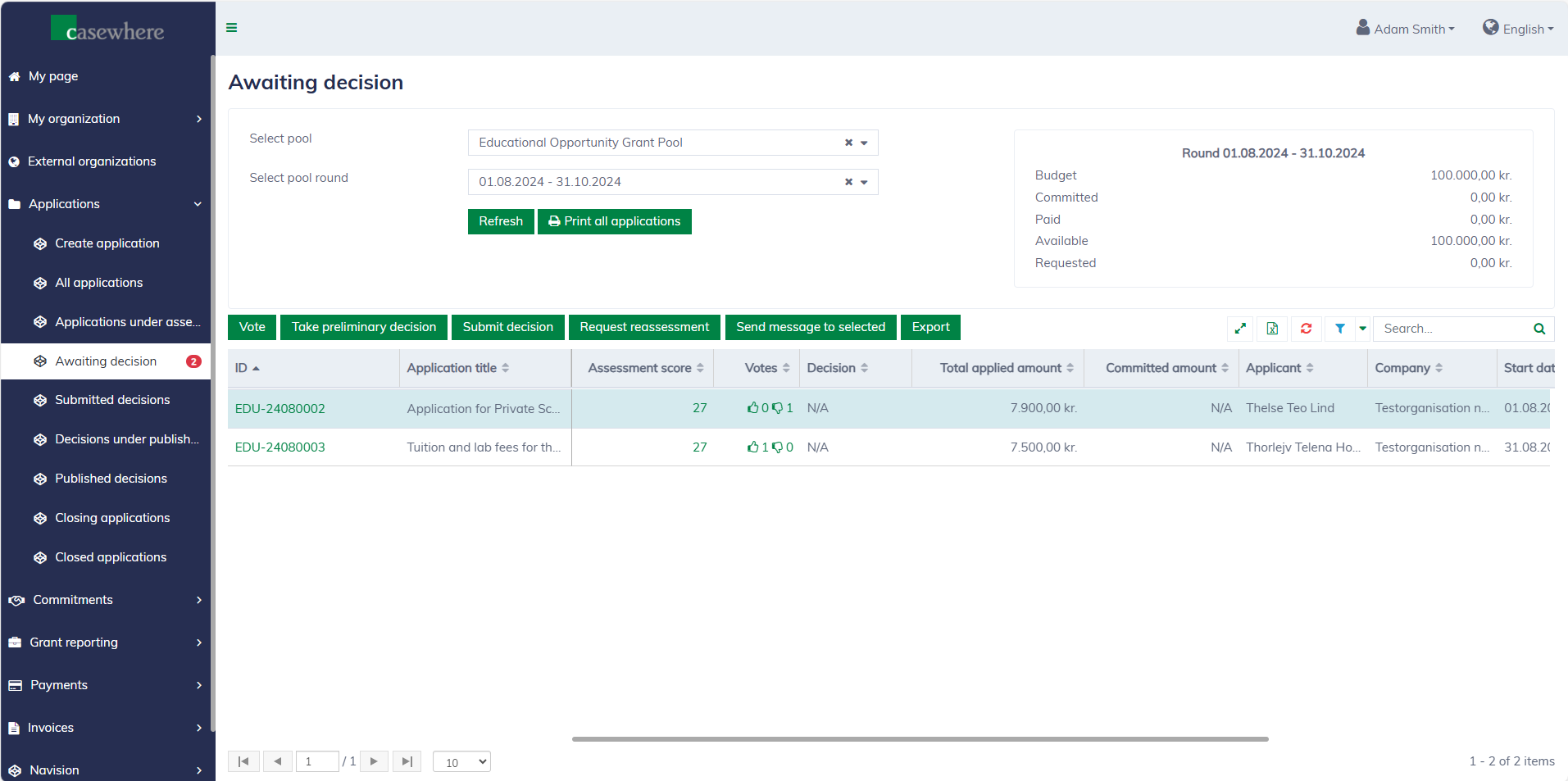
In this list, you can filter applications by their pools and pool rounds. As with any standard list, you can also filter, search, and sort by various criteria.
Preliminary decisions
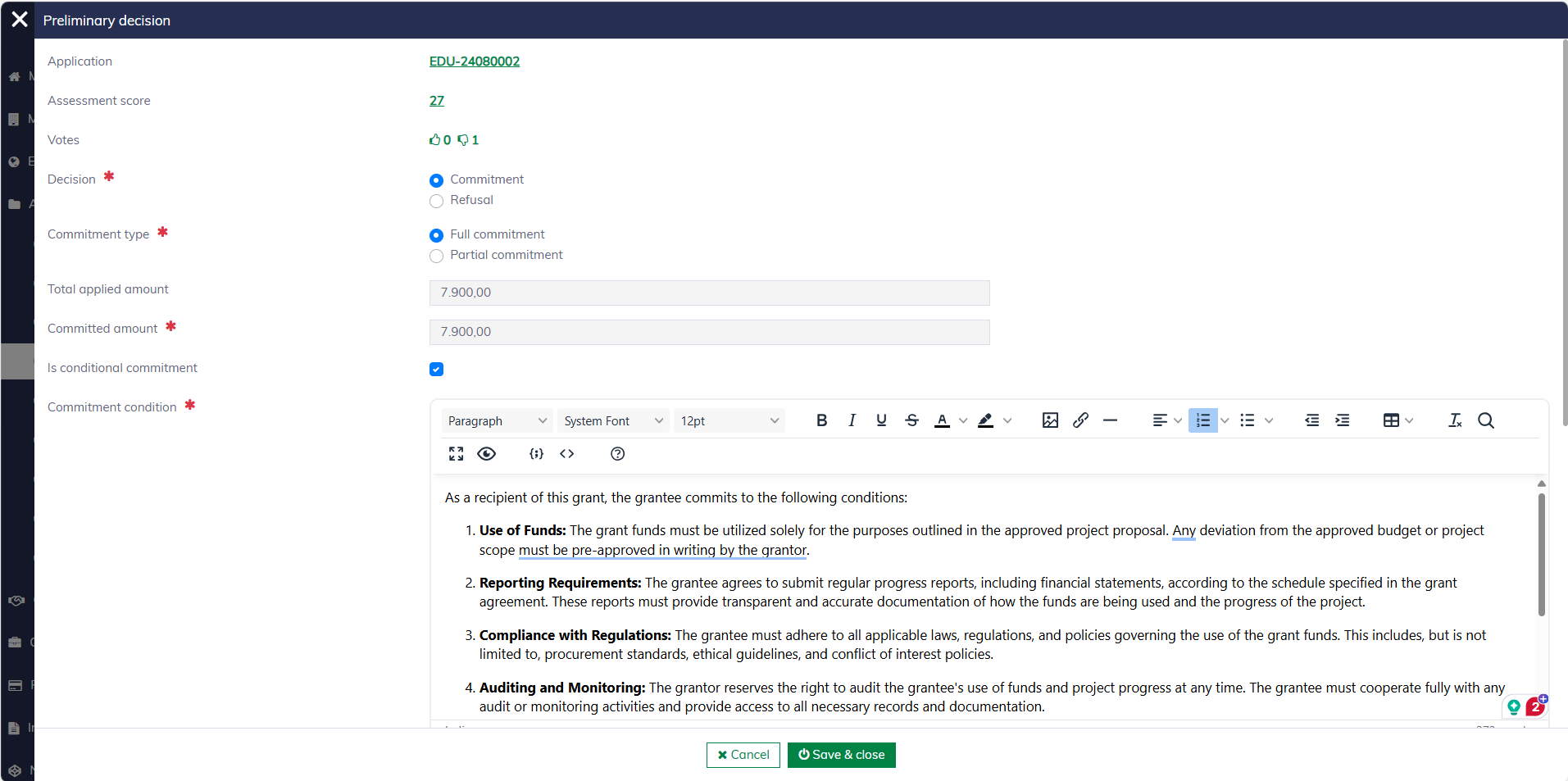
Typically, preliminary decisions are made for all applications to provide a better overview before submitting them for final approval. In the list, select an application and click "Take preliminary decision". The following form will appear. Please note that this functionality is limited to caseworkers with specific permissions.
If the decision is to give a commitment, additional information must be collected regarding the type of commitment, the granted amount, and other relevant details.
For refusals, a comment is required to explain the decision:
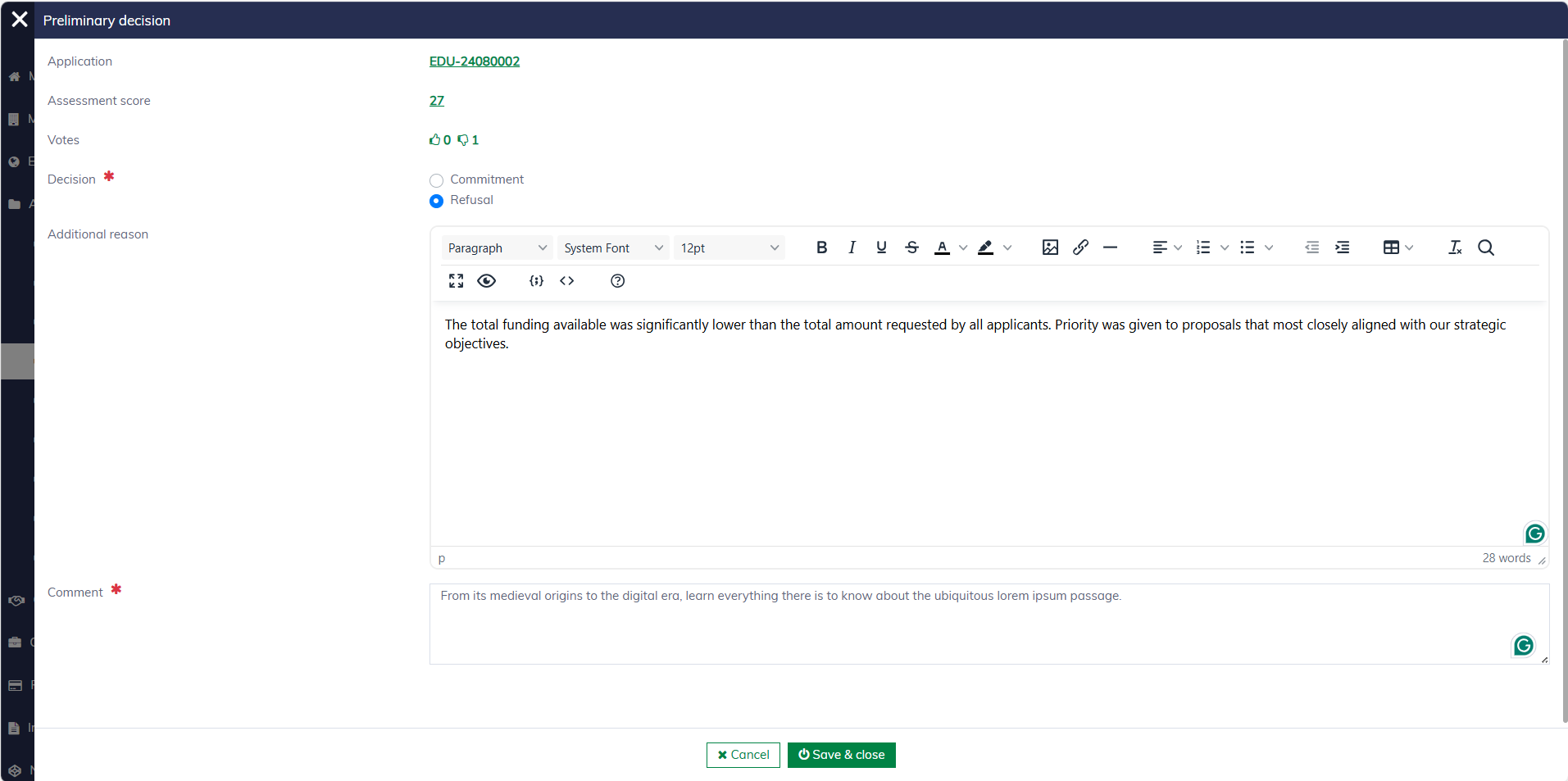
You must fill in the following fields when making preliminary decisions:
| Field name | Mandatory | Description |
|---|---|---|
| Decision | Yes | You must choose whether to approve the grant and commit to funding it or reject the application. |
| Commitment type | Yes, if the decision is "Commitment". | "Full commitment" means approving the entire requested amount. "Partial commitment" requires entering the granted amount, which is typically less than the requested amount. |
| Committed amount | Yes, for "Partial commitment" | The amount that the pool commits to grant. It is typically less than the requested amount in the case of a "Partial commitment". |
| Is conditional commitment | Yes, if the decision is "Commitment". | Applicants are required to accept a condition for the grant to take effect. |
| Commitment condition | Yes, for "Conditional commitment" | The condition for the grant to take effect. This information will be included in the decision letter and related tasks, which require the applicant to read and accept it as part of the process. |
| Additional reason | No | Additional reasons supporting the decision that the applicants should be aware of. This information will be included in the decision letter sent to the applicants. |
| Comment | Yes, if the decision is "Refusal". | An internal comment supporting the decision, which is accessible only to caseworkers. |
The decision will be reflected on the application list immediately.
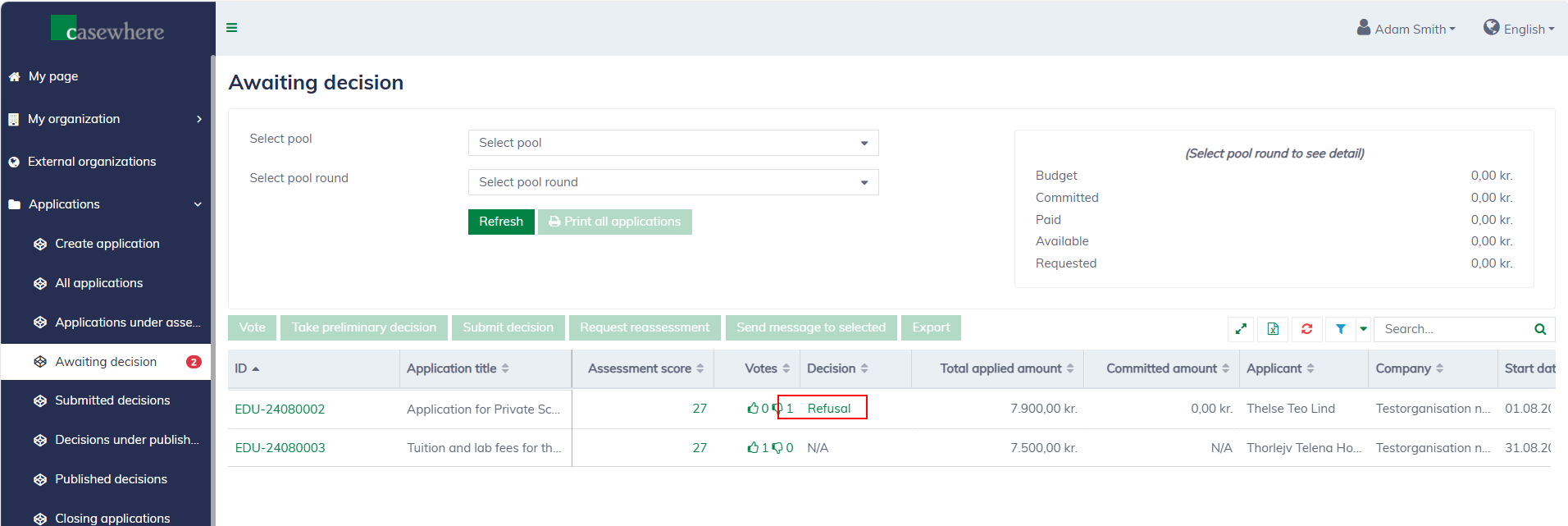
You can always click on a "Decision" and view its details.
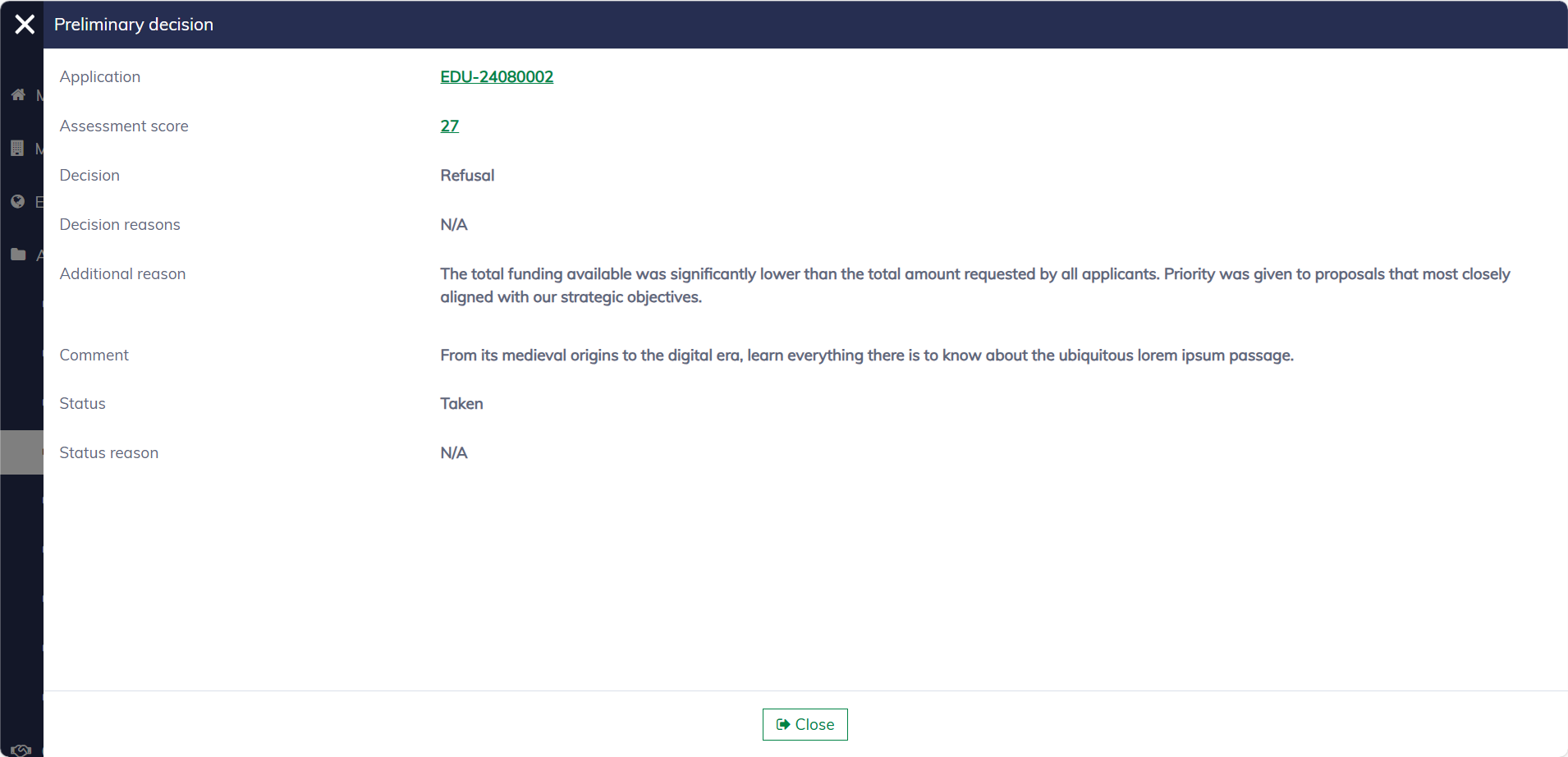
You can always change your decision until it is submitted for final approval.
Export decision memo
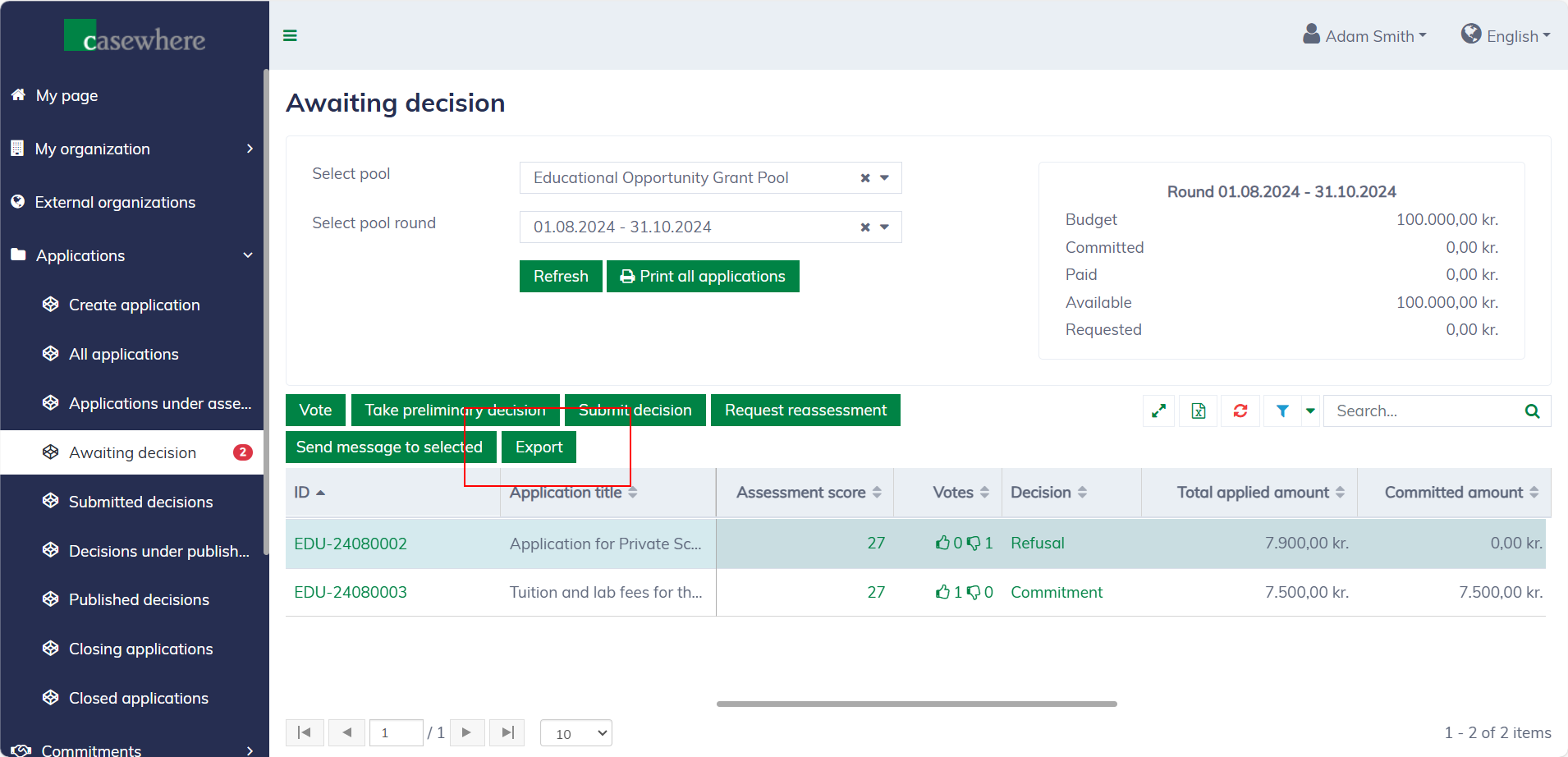
The solution enables you to export the application list along with decisions in a format optimized for board meetings and similar events. Ensure you select the appropriate pool and pool round before clicking the "Export" button.
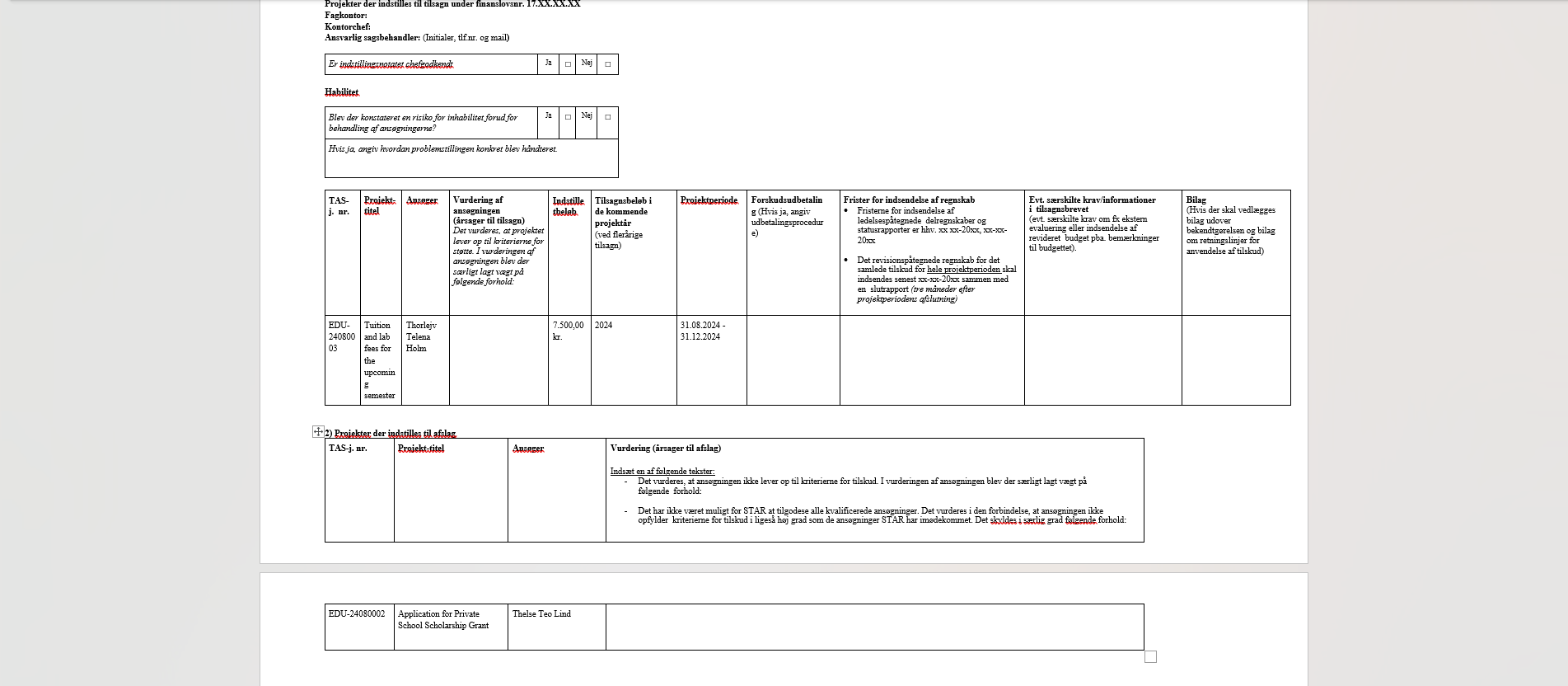
The memo format is fully customizable and configured within each pool, which means it can vary by pool. An example of a memo format is as follows:
Submit final decisions
In the application list, select an application and click "Submit decision". A dialog will appear allowing you to review and submit the application for final approval.
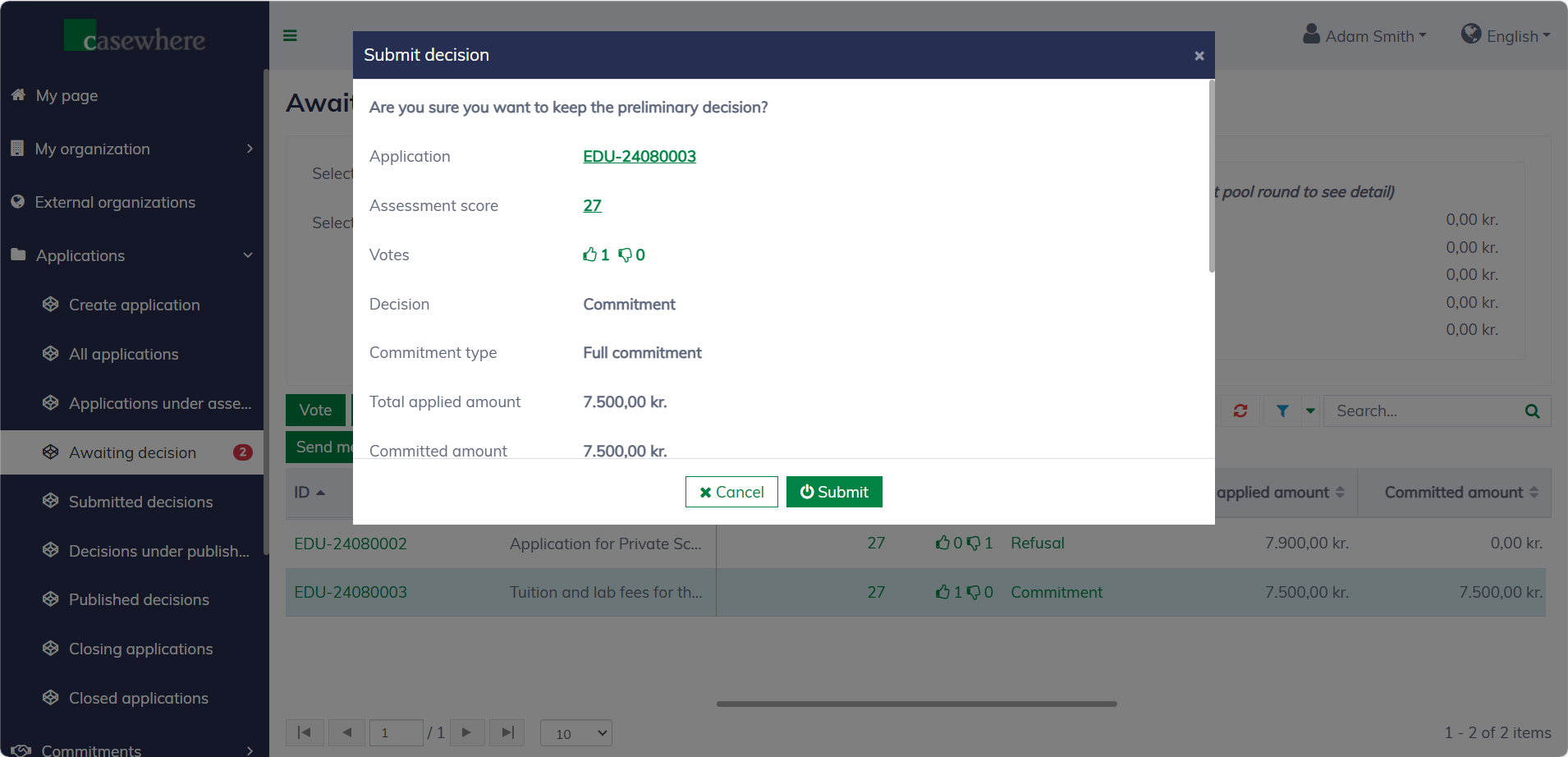
Once submitted, the decision cannot be modified. The application will then be moved to the "Submitted decisions" section, where it will await final approval.
Please note that only caseworkers with certain permissions can take preliminary decisions and submit them.
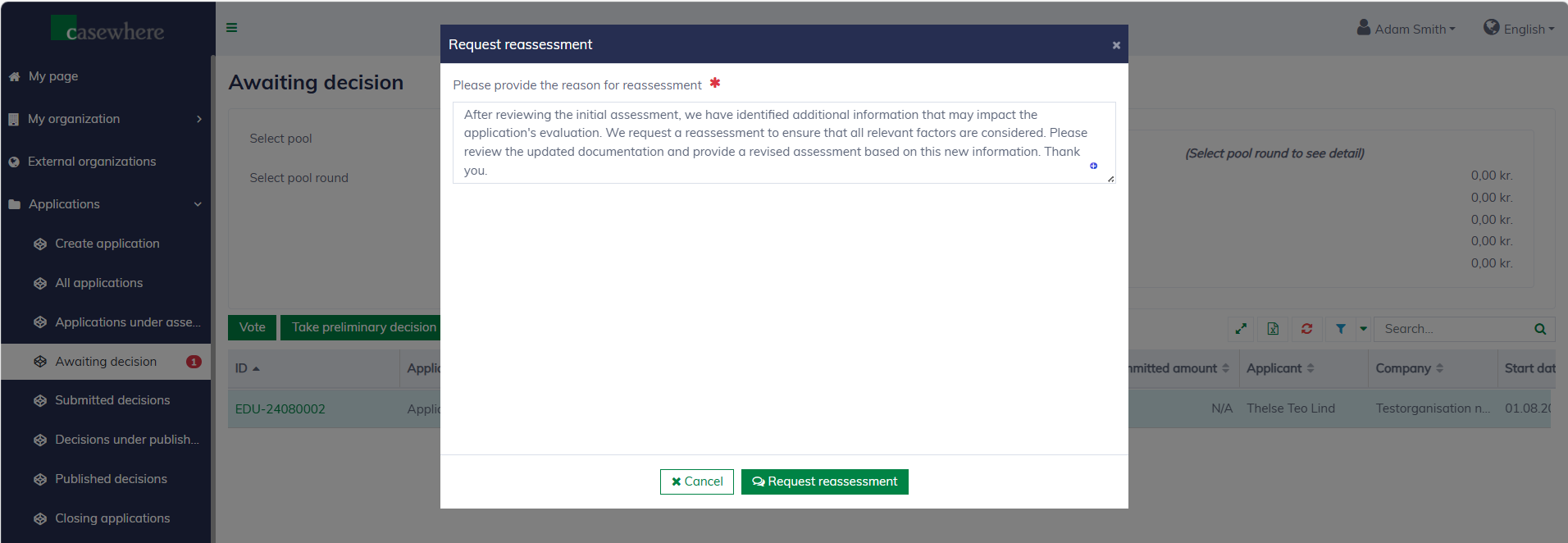
Request reassessments
You can request a reassessment, which will move the application back to the list "Applications / Applications under assessment". A comment is required when requesting reassessment.