Execute payments
The system automatically evaluates payment conditions and prepares them for execution. When a report is approved, the system typically identifies all related payments and updates their readiness status accordingly.
Ready payments
All ready payments can be found at "Payments / Ready payments". As authorized caseworkers, you can use this list to trigger and execute multiple payments simultaneously.
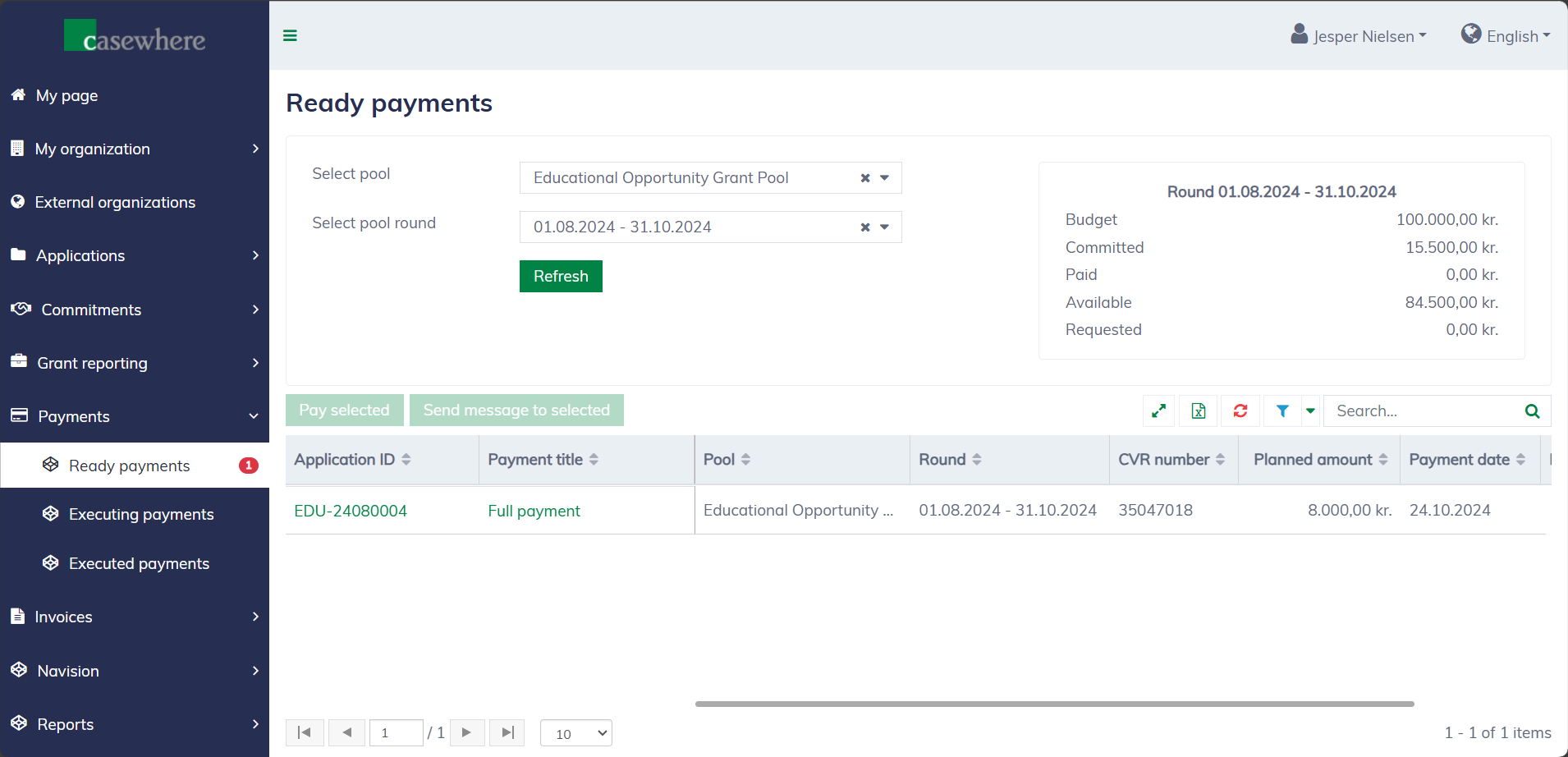
You can filter payments by their pools and pool rounds. Like any standard list, you can filter, search, and sort by various other criteria to streamline your payment process.
In the application dialog, "Ready to pay" payments are easy to identify.
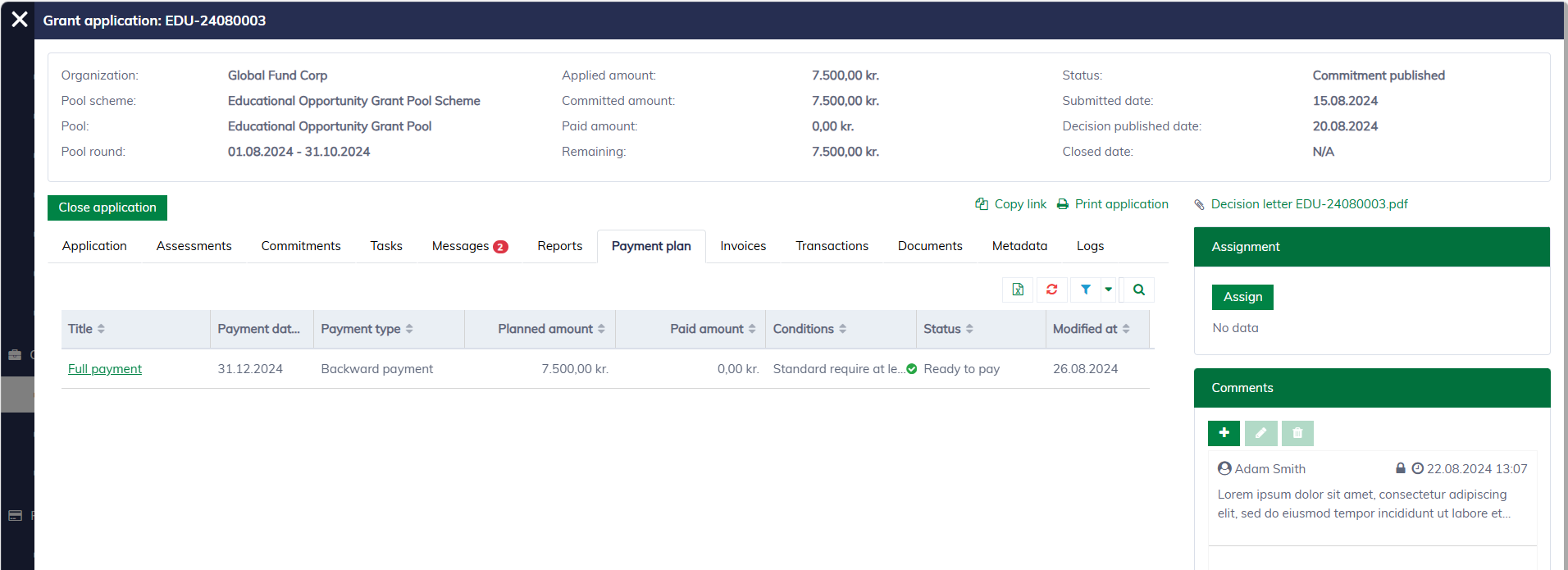
Execute payments
You can pay directly from the payment dialog:
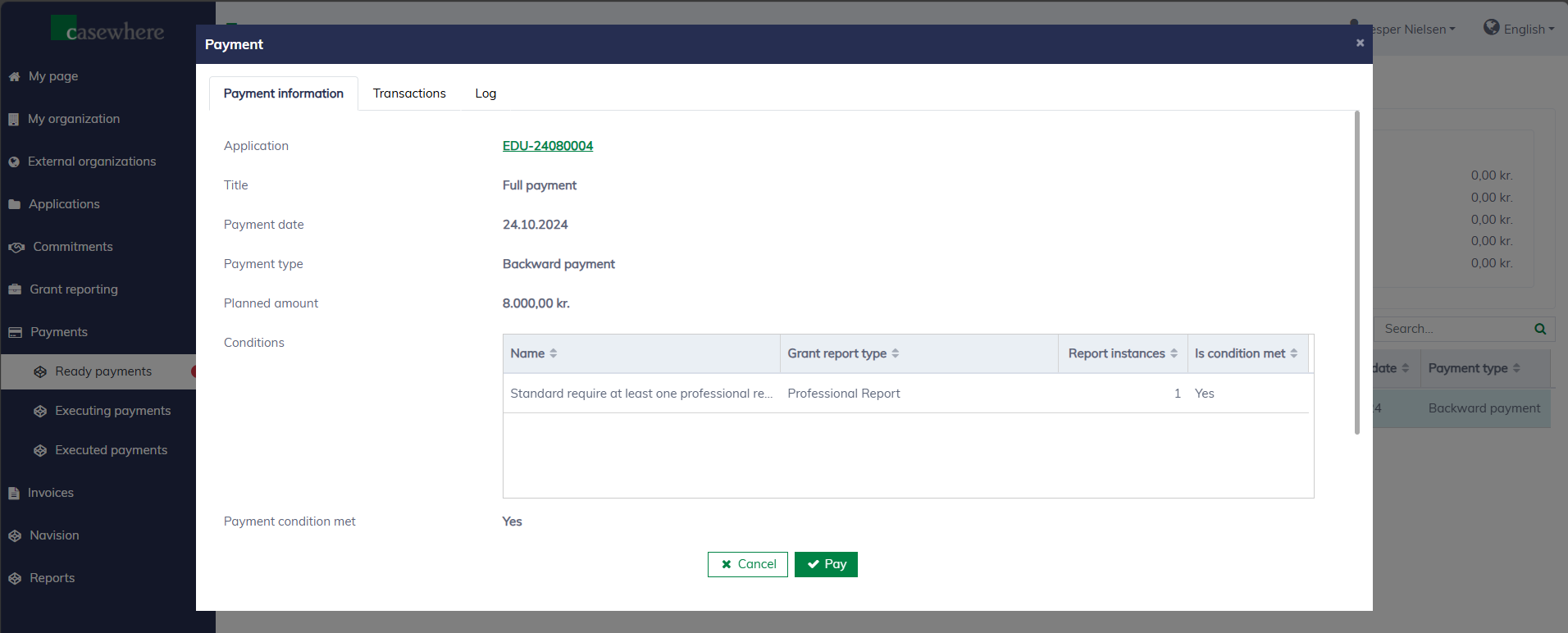
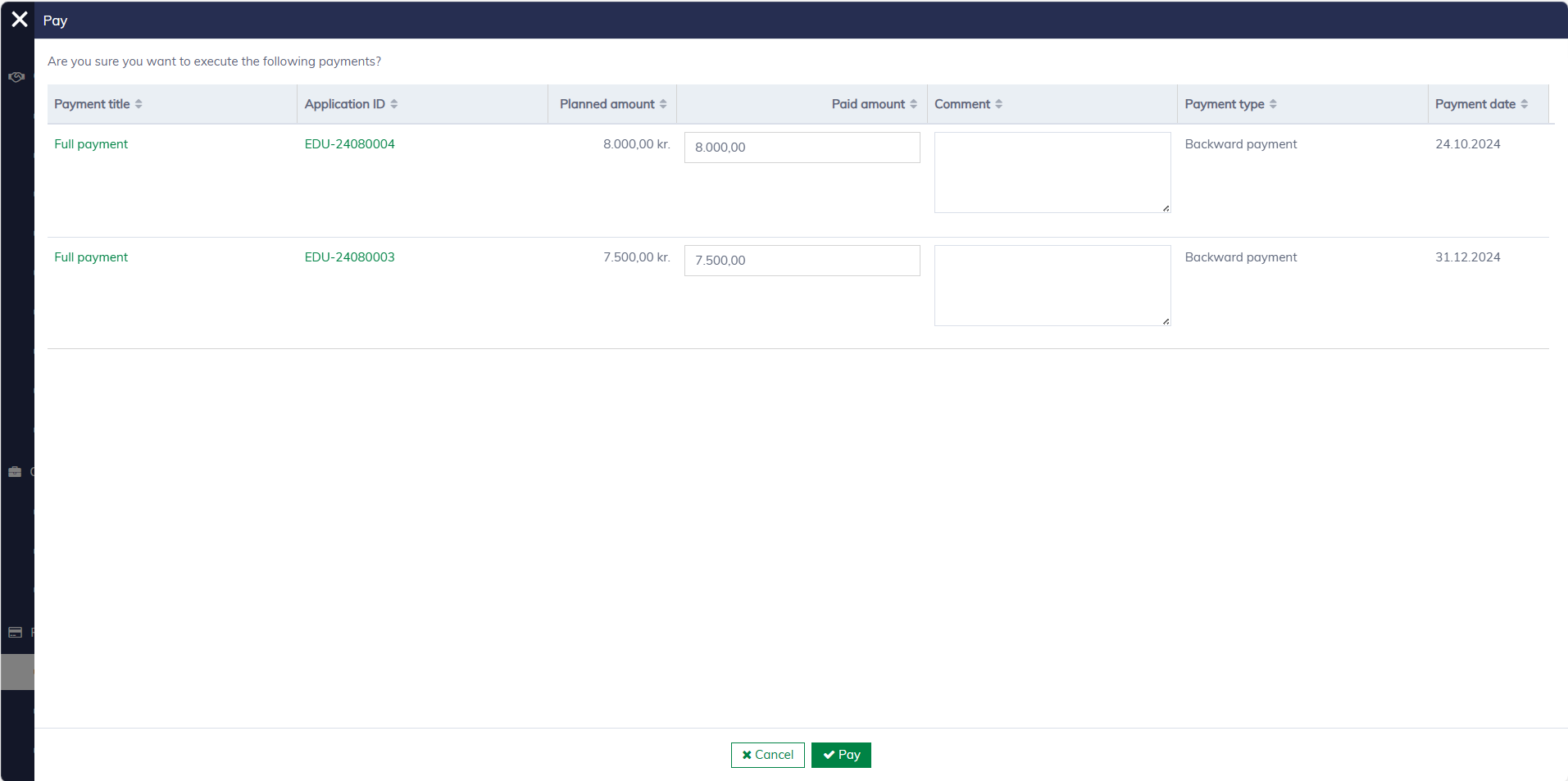
Click "Pay", and a new dialog will open to confirm your decision. It's possible to adjust the actual payout amount.
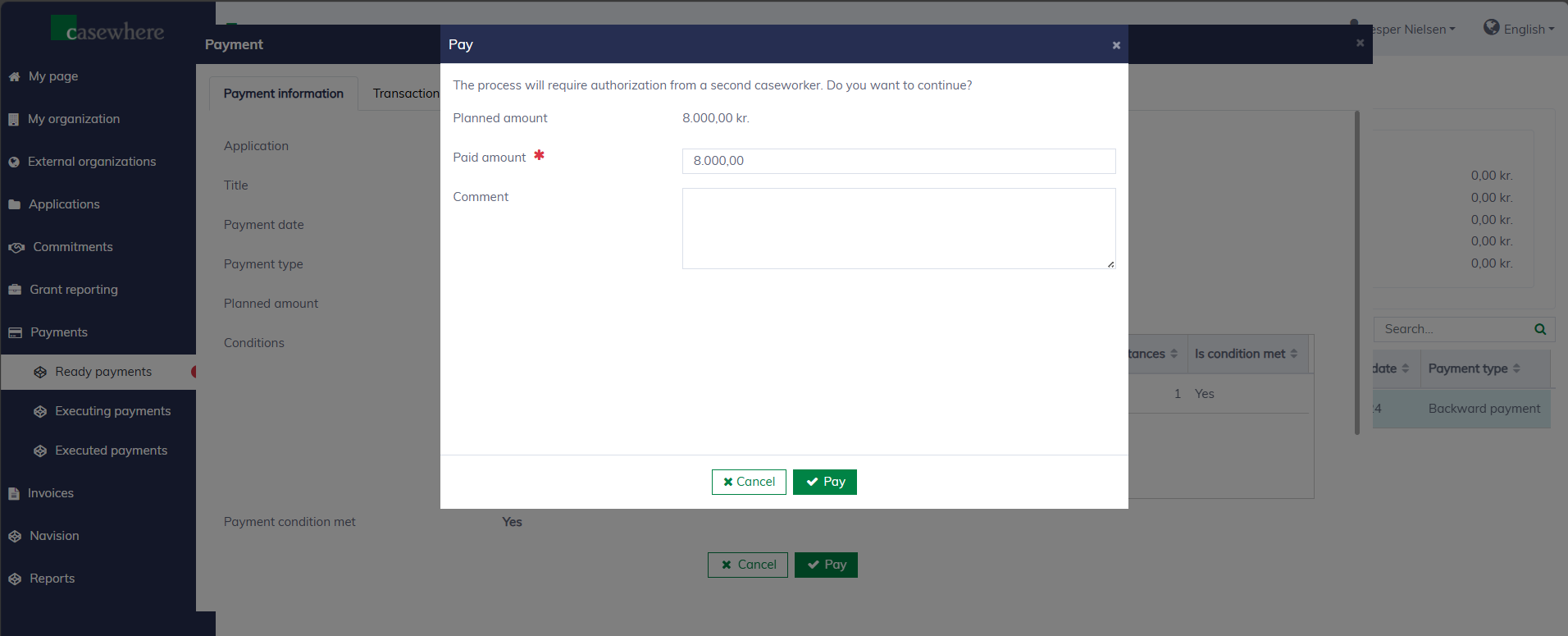
It's also possible to select multiple payments and execute them at once.
All payment executions must be authorized by another caseworker with the appropriate permissions. Individuals are not allowed to authorize payments they have executed themselves.