Create repayment invoices
When a commitment is canceled, the system will determine if repayment is required and calculate the repayable amount. Invoices can then be created to collect the repayment.
Browse repayable commitments
All repayable commitments can be found under "Invoices / Repayable commitments". You can create invoices for repayments here. Please note that only caseworkers with specific permissions can create invoices.
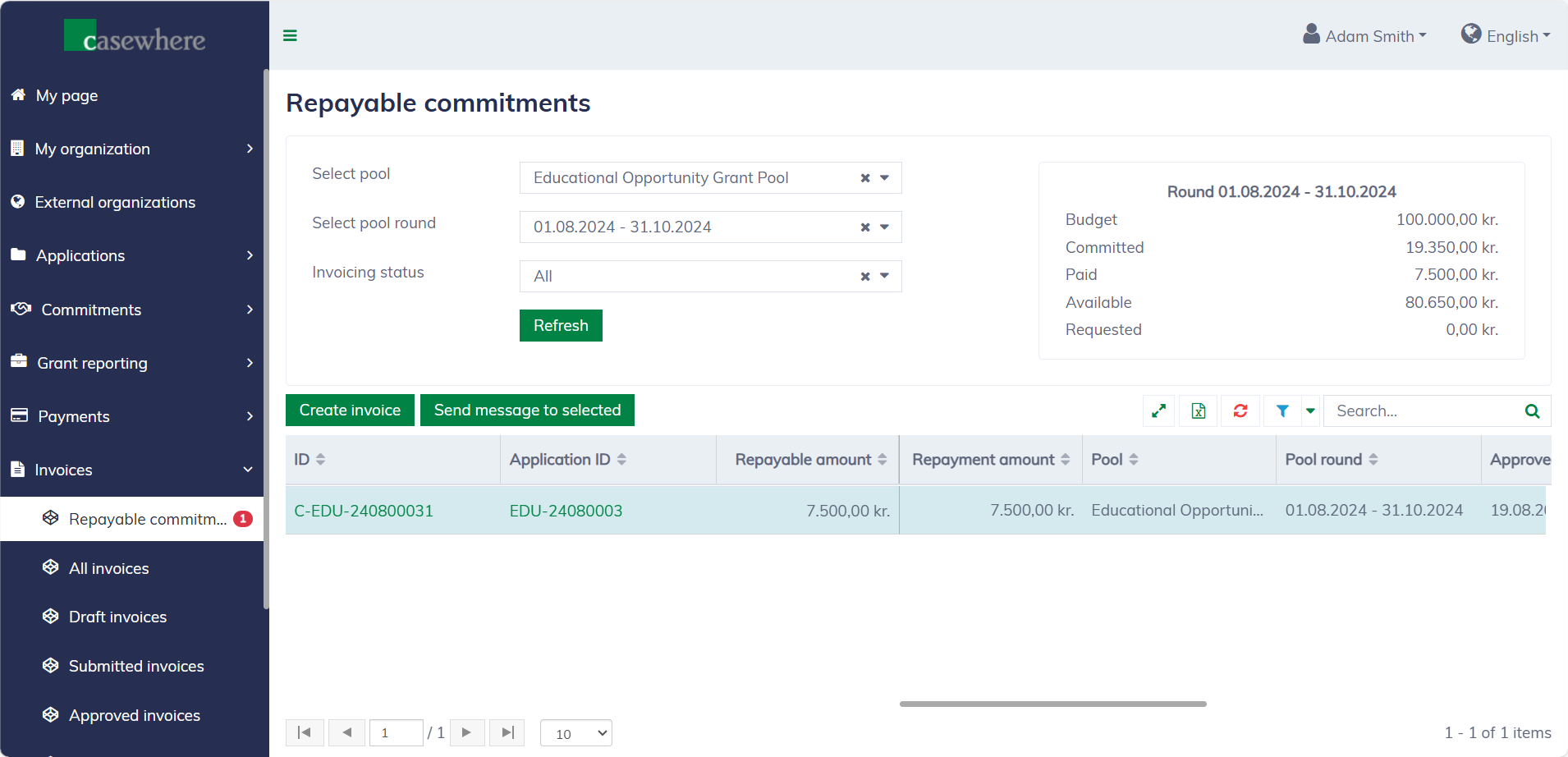
In this list, you can filter commitments by their pools, pool rounds, and invoicing status. Like any standard list, you can also filter, search, and sort by various criteria.
Create invoices
In the commitment list, you can select a repayable commitment and click "Create invoice". The following form will appear for invoice creation:
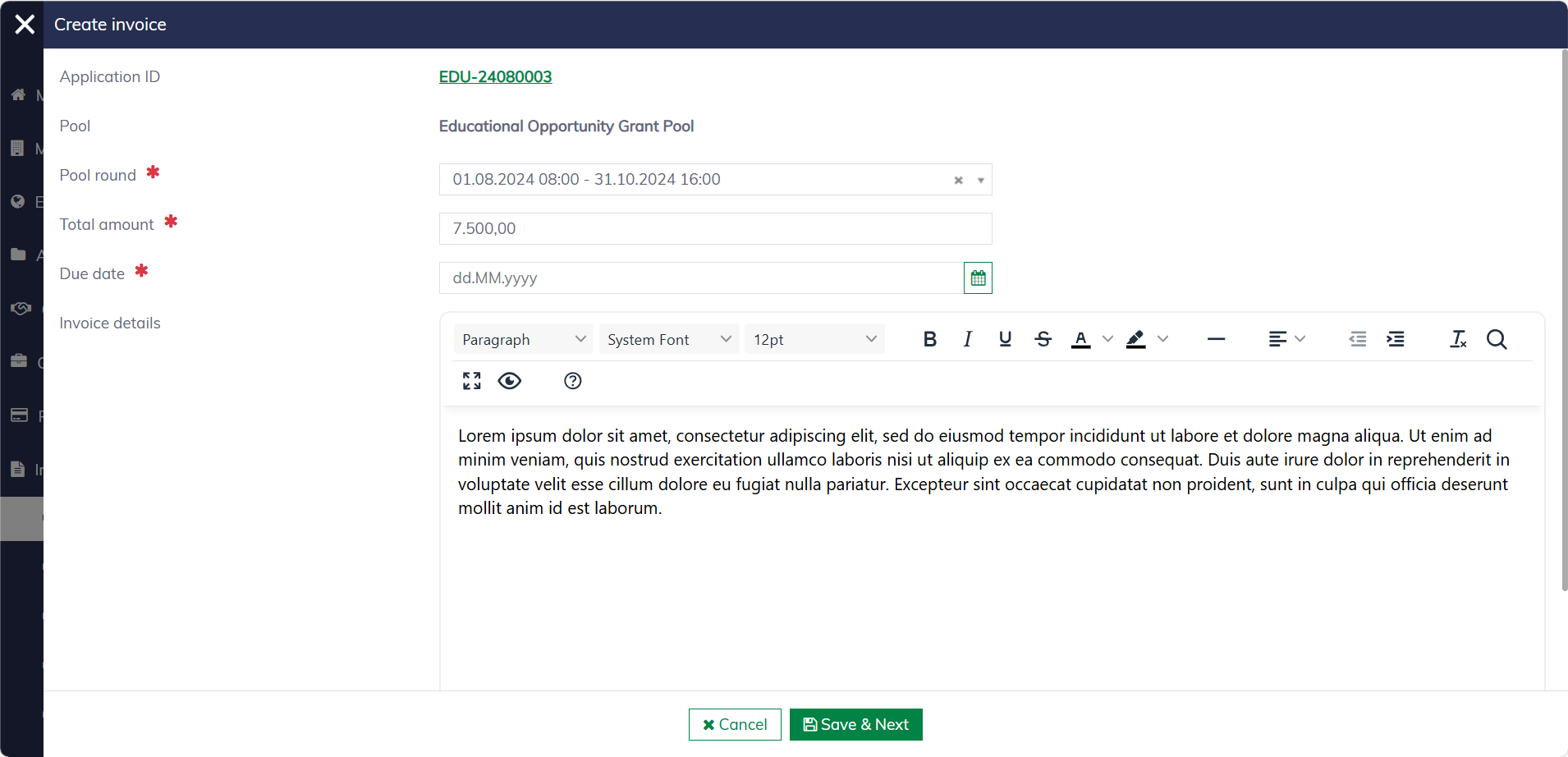
The below fields are needed for creating invoices:
| Field name | Mandatory | Description |
|---|---|---|
| Pool round | Yes | The invoice can be created for a pool round that is different from the original commitment's pool round. |
| Total amount | Yes | The invoice amount defaults to the repayable amount but can be adjusted. |
| Due date | Yes | The expected payment due date for the invoice. |
| Invoice details | No | Additional information can be added to the invoice letter. |
You can create a draft invoice and return to edit it later. Draft invoices can be deleted, but once submitted, the invoice is no longer editable.
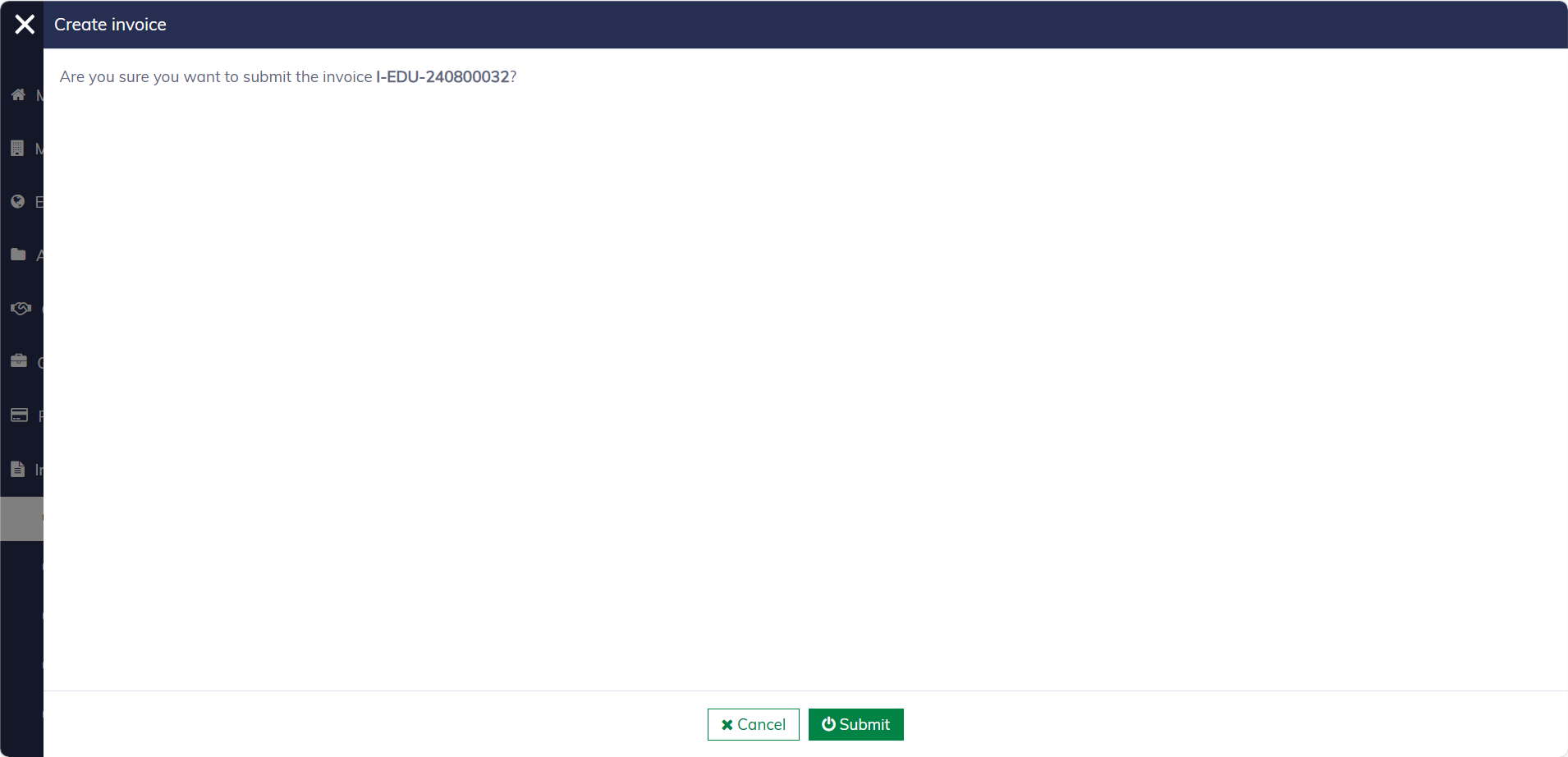
To ensure security, submitted invoices must be approved before they can be issued.
Please note that the repayable amount is updated only when the system successfully collects the invoice payment. However, it does highlight commitments with invoices. Additionally, you can filter out commitments for which invoices have been created.