Assess reports
All submitted reports must undergo an approval process before they can be accepted.
Browse reports
You can manage all reports ready for assessment in "Grant reporting / Pending approval reports". This list includes both submitted reports that do not require screening and those that have already been screened. Here, you can assess the reports before either approving them, rejecting them, or returning them to the applicants for resubmission. Please note that only caseworkers with the appropriate permissions are authorized to assess and approve reports.
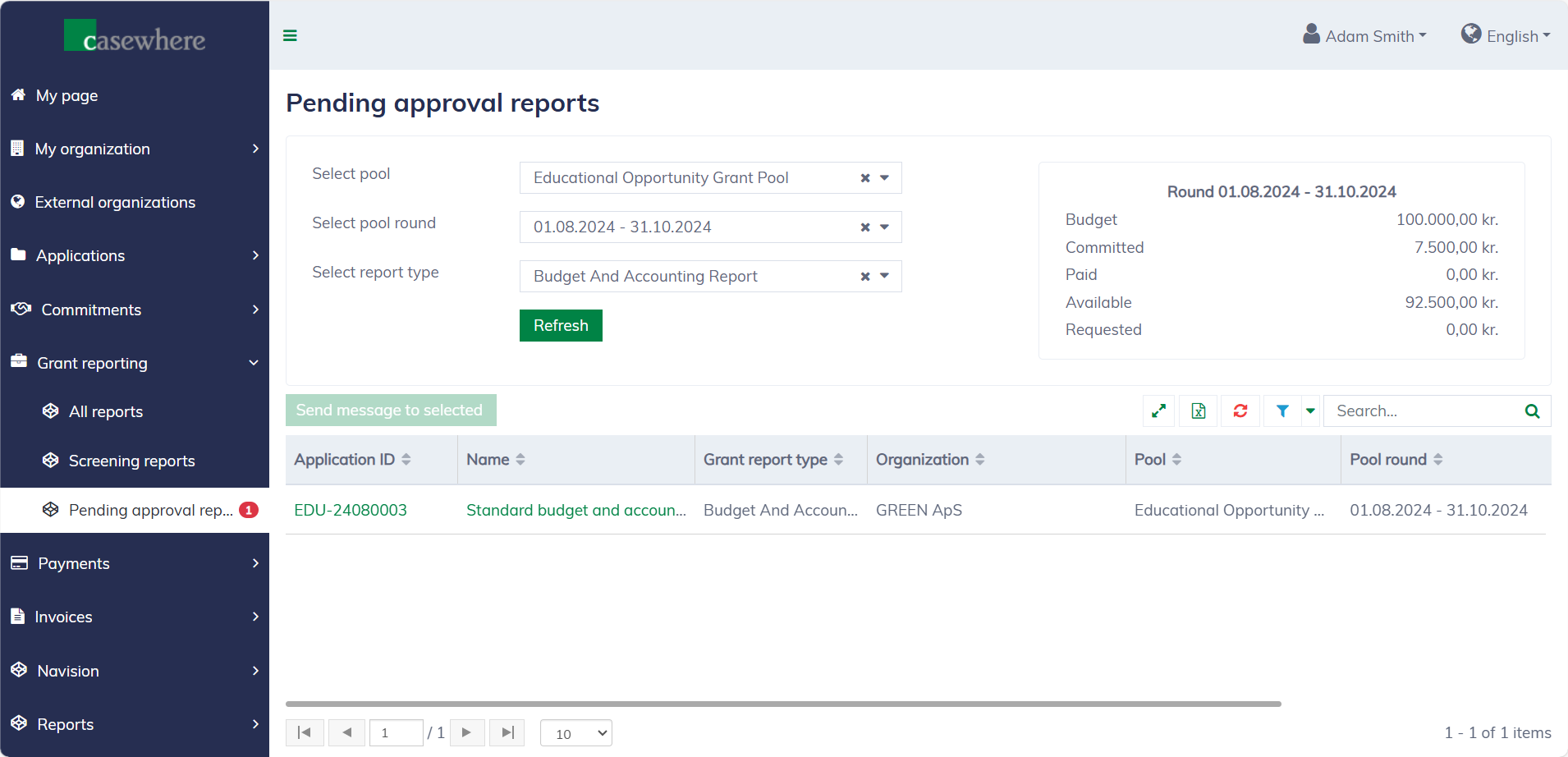
In this list, you can filter reports by their pools, pool rounds, and report types. Like any standard list, you can filter, search, and sort by various other criteria to streamline your review process.
Assess reports
In the report list, click on the report name to open the report dialog. Here, you can review the report before assessing it. The "Assess" button will be available if you have permission to assess reports.
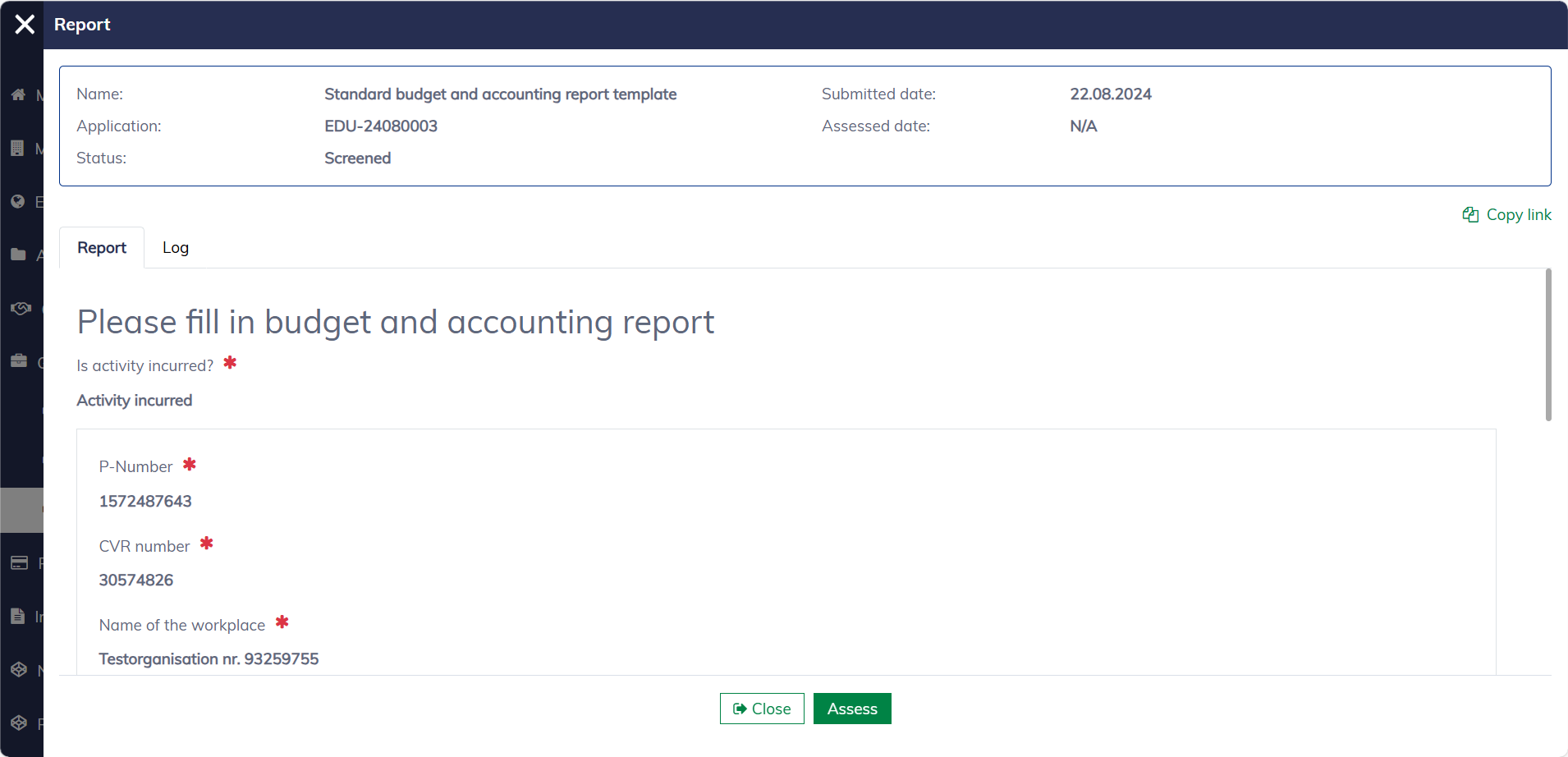
The assessment form will appear as shown. You must fill in the required information to submit the form. Please note that each report type may require a different assessment form, which is configured by the system administrators.
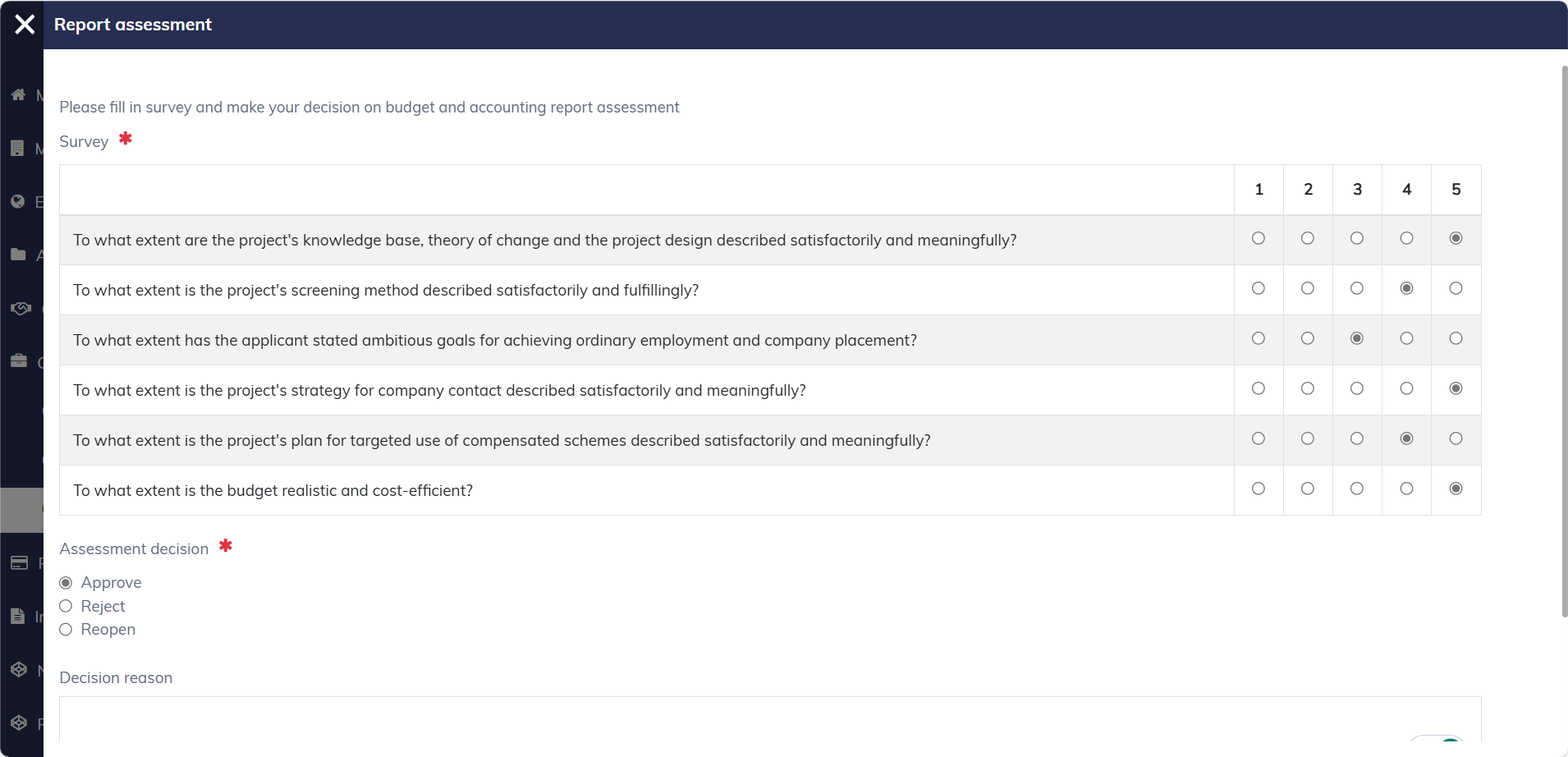
Also in this form, you must decide the assessment result, whether the report should be approved, rejected, or reopened for resubmission. It's possible to save a draft and return to edit it later. Once you submit the form, the report status will be updated accordingly, and the applicants will be able to see the assessment outcome immediately.
Assessment result
The assessment result will appear in the report dialog under the "Assessment" tab. The tab will show only when a result is available.
(Picture coming soon)