Payment setup
The article will detail the steps for setting up payments in the system and configuring them for pools. Here, you will learn:
- Set up payment types
- Set up payment conditions
- Configure payment rules for a pool
Payment types
Navigate to "Pool setup / Payment types" to manage applicable payment types used in the system.
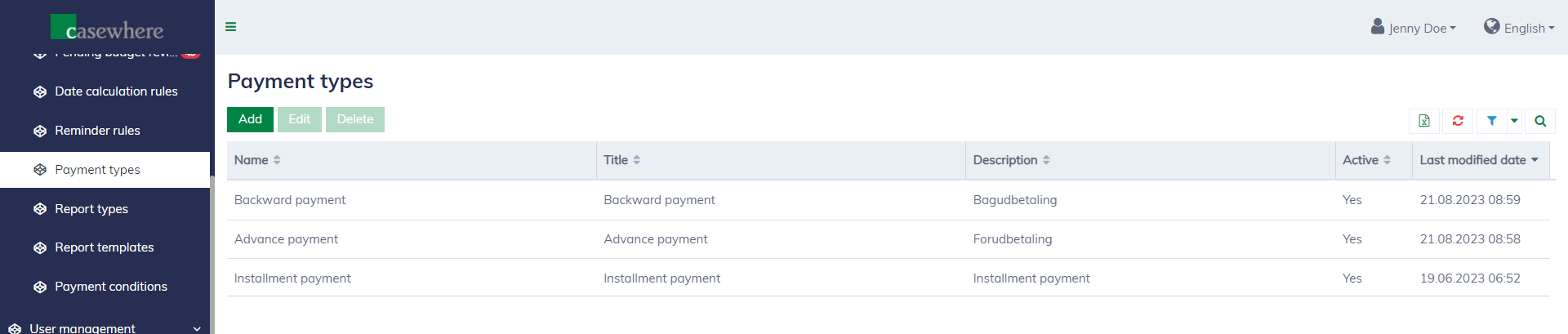
Editing a payment type looks as follows:
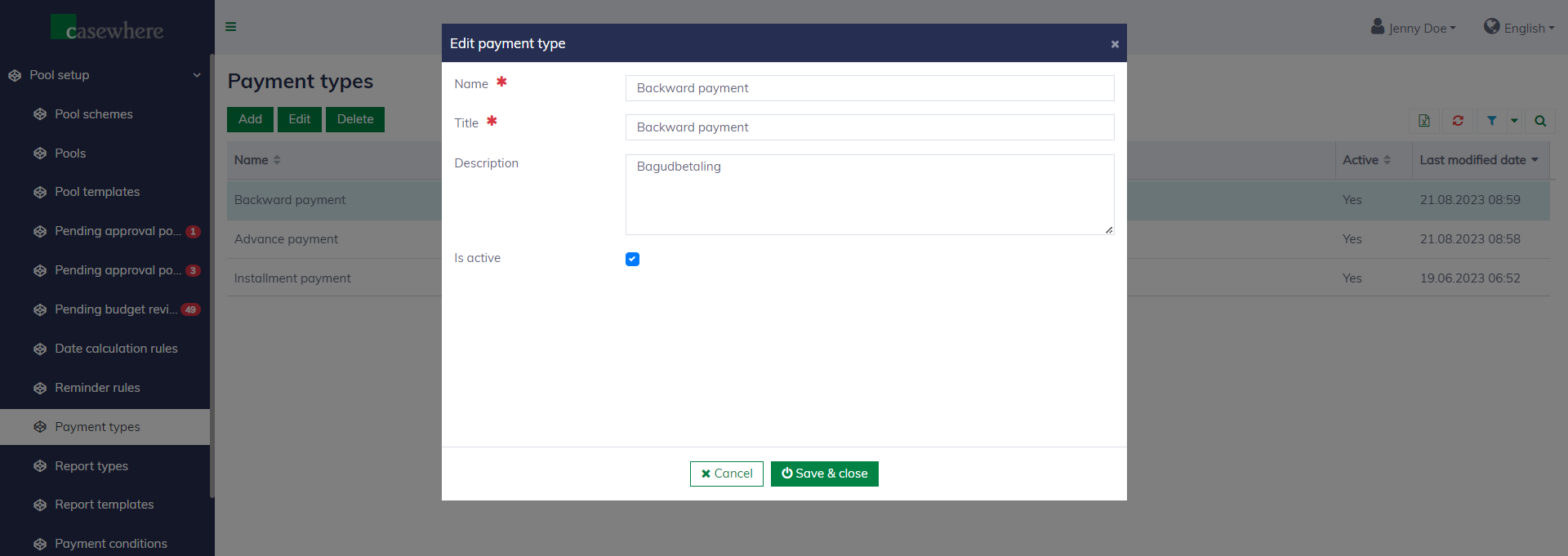
A payment type has the following fields:
| Field name | Mandatory | Description |
|---|---|---|
| Name | Yes | The name of the payment type must be unique. Avoid changing the name, as it can be referenced from scripting rules. |
| Title | Yes | To display to end users. |
| Description | No | To explain what the payment type is used for. |
| Is active | No | To determine if the payment type is enabled or not. |
Payment conditions
Navigate to "Pool setup / Payment conditions" to manage the system's applicable payment conditions. The payment conditions determine when a payment is ready to execute.
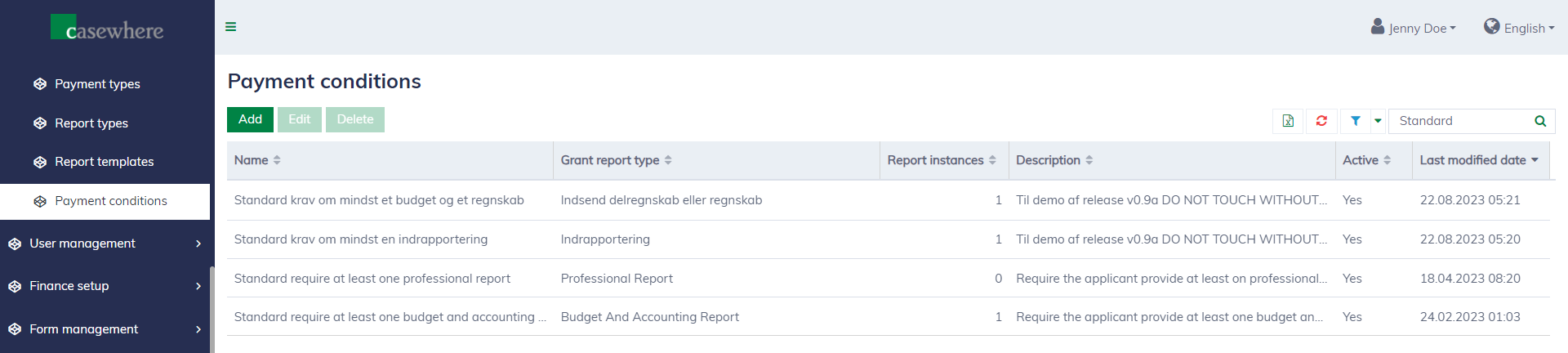
Editing a payment condition looks as follows:
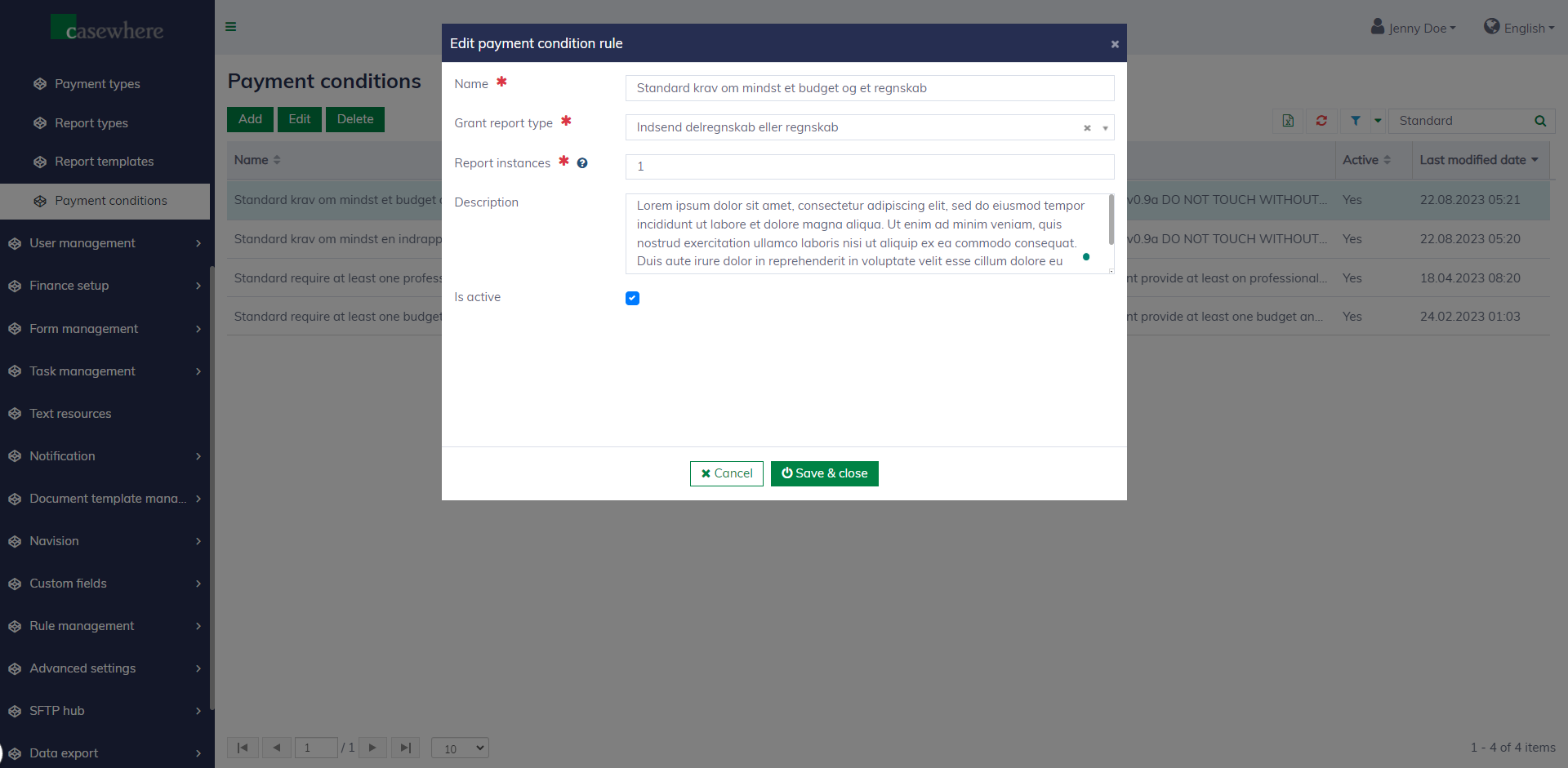
When a grant report is reviewed and approved, the system will find the corresponding payment condition based on the grant report type and evaluate whether the condition is met. A payment condition has the following fields:
| Field name | Mandatory | Description |
|---|---|---|
| Name | Yes | The name of the payment condition. |
| Grant report type | Yes | The type of grant report is described above. |
| Report instances | Yes | The number of reports that need to be approved for the condition to be met. |
| Description | No | To explain more about the payment condition. |
| Is active | No | To determine if the payment condition is enabled or not. |
Configure payment rules for a pool
Payment rules determine when and how payment is planned and executed for individual pools. In the pool editor, you can navigate to the "Payment rules" tab to configure payment rules for your pool.
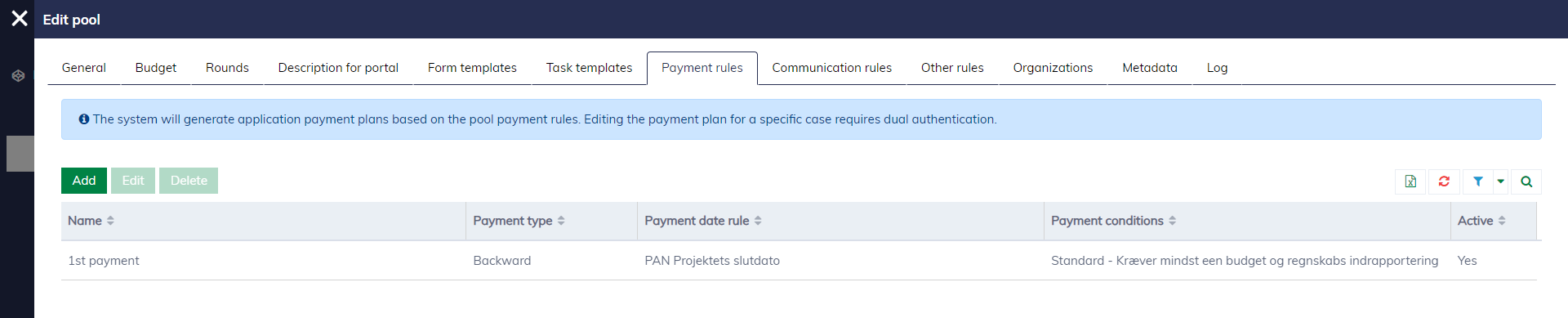
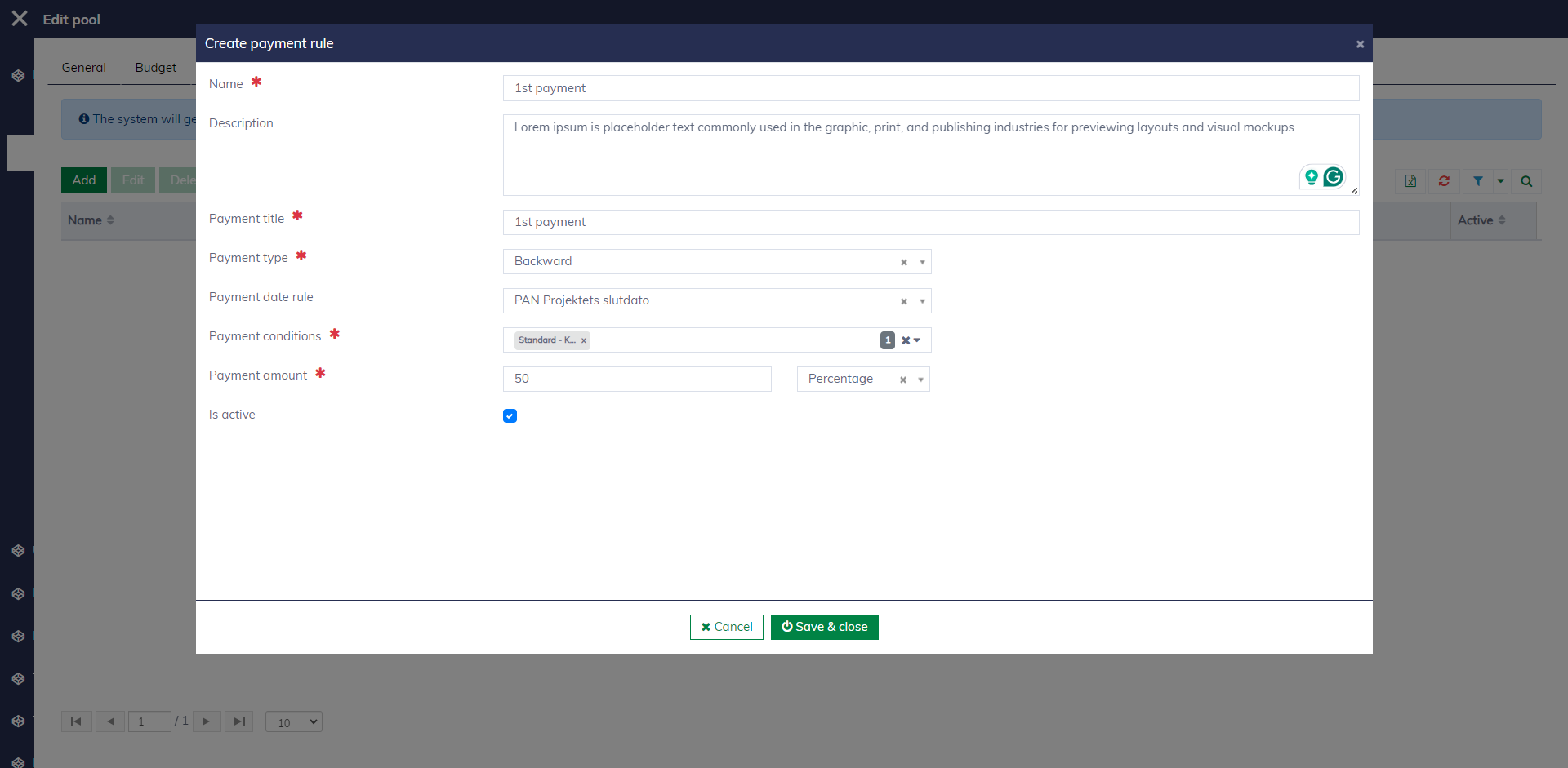
Editing a payment rule looks like this: you need to specify the payment type, payment date, payment conditions, and the payment amount to be disbursed to the applicants.
Learn more about configuring payment rules here.