Reporting tasks
When a report is required, a task will be created and assigned to the applicant. Reporting tasks can be generated automatically when the project reaches a specific stage, or they can be initiated manually by a caseworker. Each pool may require a unique set of reports, necessitating distinct reporting tasks.
Automatic task creation
Typically, when commitment decisions are published, the system will generate a set of reporting tasks with deadlines for each application, ensuring that applicants know what they must do to meet the pool requirements and secure the release of funds. The reporting tasks vary by pool:
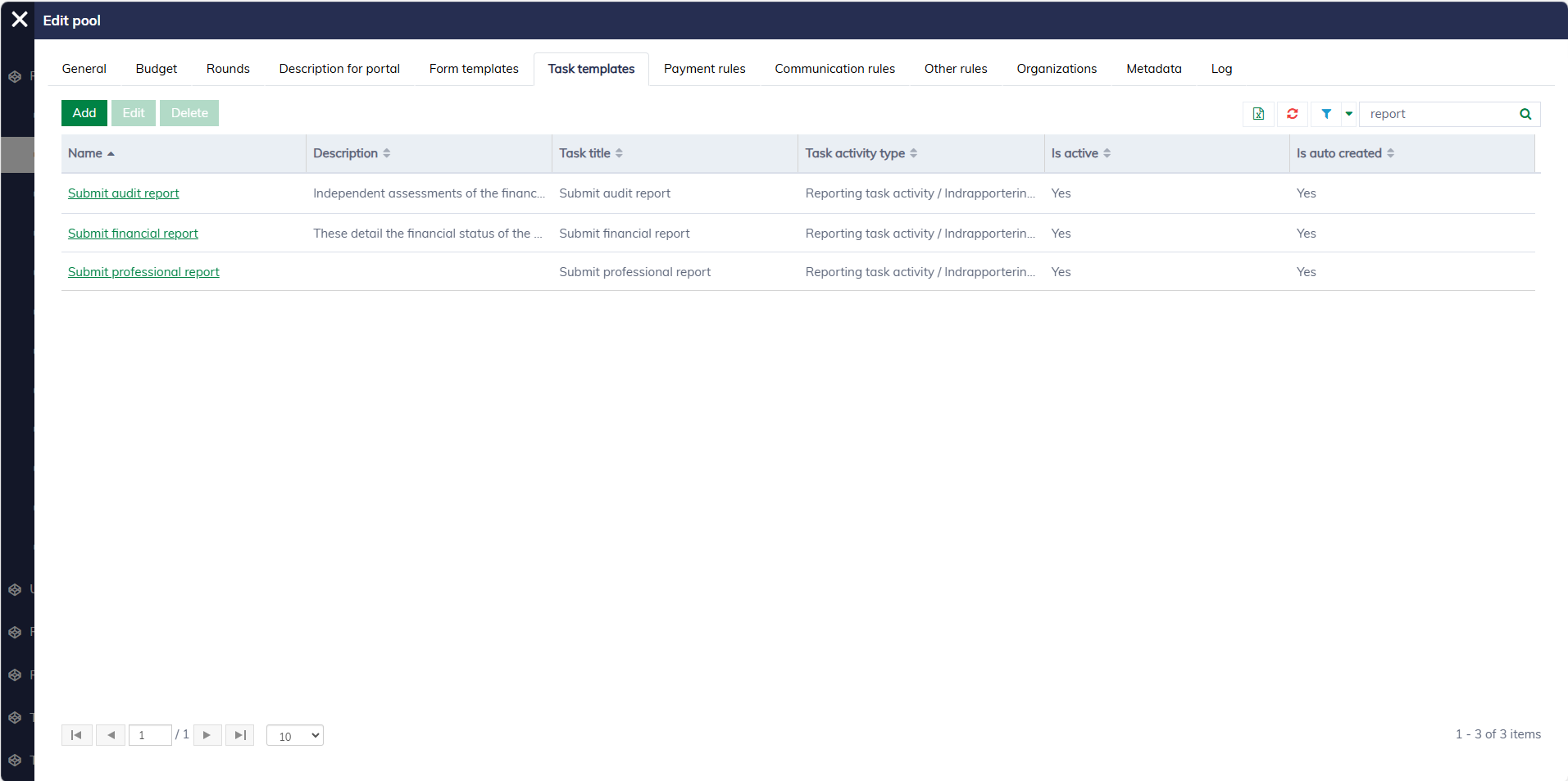
Manual task creation
Caseworkers can manually create reporting tasks for a specific application. This feature is particularly useful when additional reports are required beyond the standard reporting schedule or when dealing with special scenarios that necessitate customized documentation.
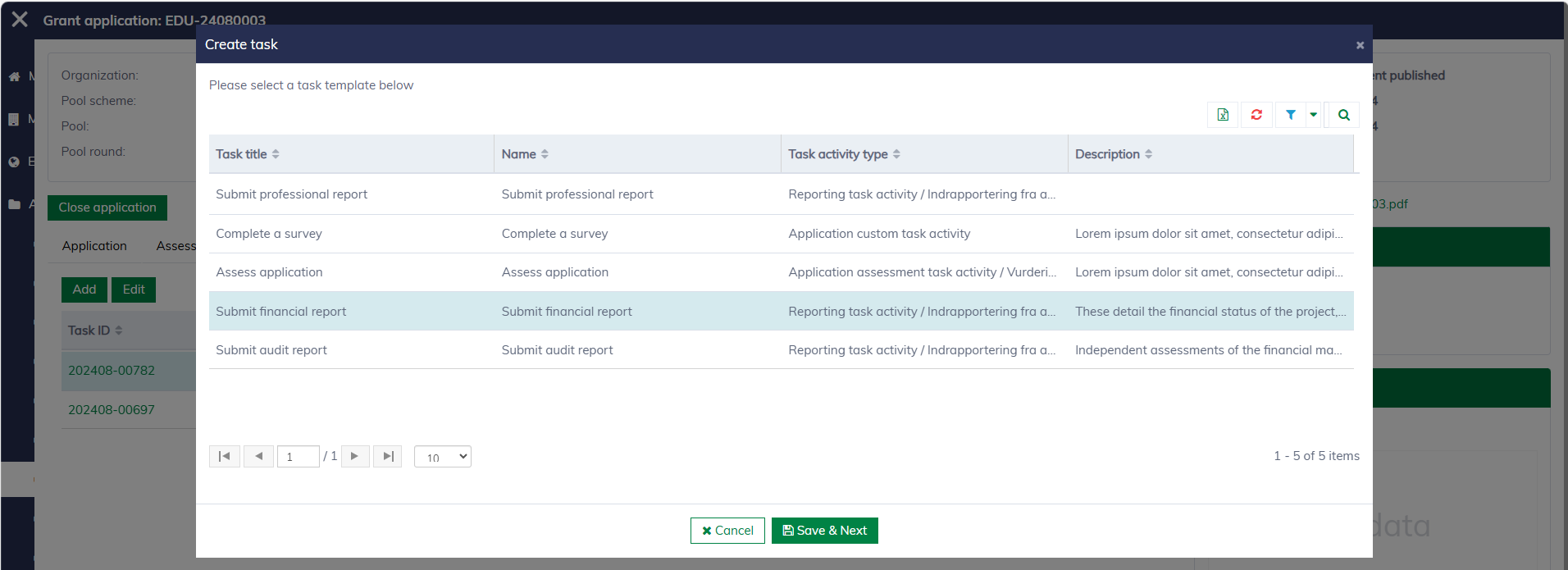
In the application dialog, navigate to "Tasks" and then click "Add" to create a new task. Here, you must select an appropriate reporting task template:
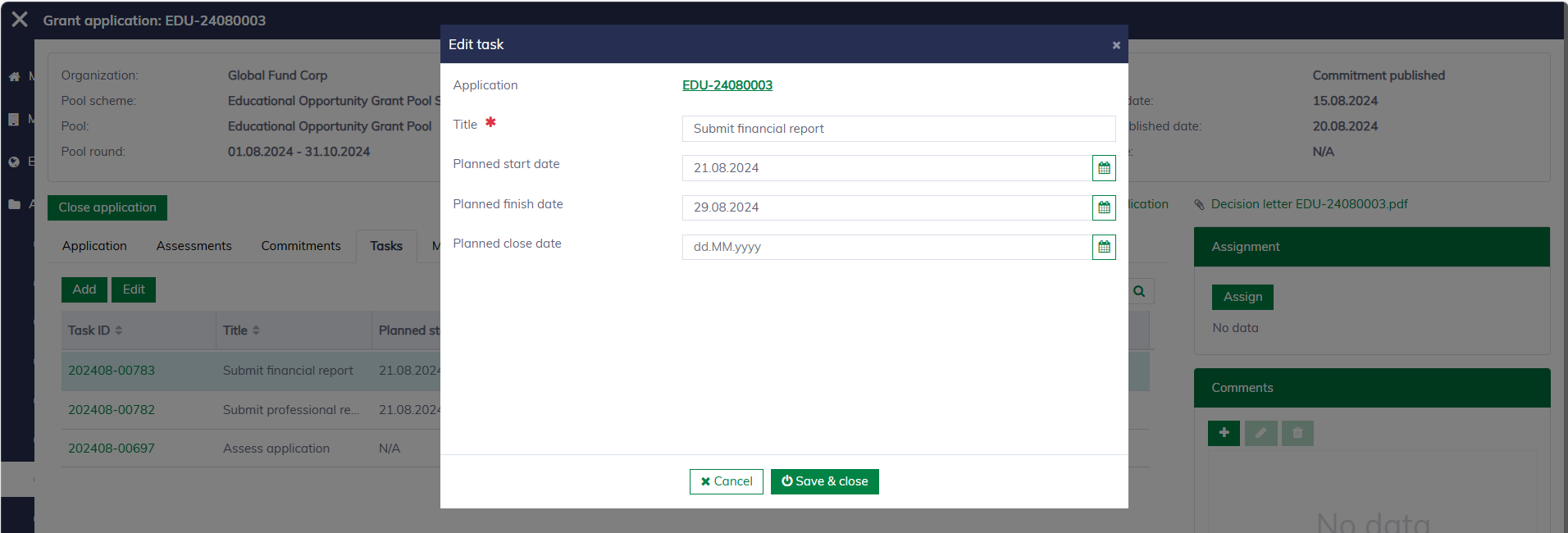
After a task is created, you can still edit the task information.
Learn more about task management here.